Polygons
The film's code
import manimgx as m


class PolygonsHero(m.Scene):
    def construct(self) -> None:
        shapes = m.VGroup(
            m.Triangle(color=m.BLUE),
            m.Square(side_length=1.8, color=m.GREEN),
            m.Rectangle(width=2.6, height=1.5, color=m.YELLOW),
            m.RoundedRectangle(width=2.6, height=1.5, corner_radius=0.4, color=m.TEAL),
            m.RegularPolygon(n=6, color=m.RED),
            m.Star(color=m.GOLD),
        )
        names = [
            "Triangle",
            "Square",
            "Rectangle",
            "RoundedRectangle",
            "RegularPolygon",
            "Star",
        ]
        cells = m.VGroup()
        for shape, name in zip(shapes, names, strict=True):
            label = m.Text(name, font="monospace", font_size=26)
            cells.add(m.VGroup(shape, label.next_to(shape, m.DOWN, buff=0.4)))
        cells.arrange_in_grid(rows=2, buff=(1, 0.8))
        self.play(m.LaggedStart(*[m.Create(cell[0]) for cell in cells], lag_ratio=0.15))
        self.play(m.FadeIn(m.VGroup(*[cell[1] for cell in cells])))
        self.wait()
A polygon is a shape of straight sides, from each corner to the next and from the last back
to the first. Give m.Polygon its corners, or take a ready-made one: a triangle, a square, a
rectangle, a regular polygon, a star. Every polygon can round its corners.
A polygram is several polygons in one shape; a polygon is a polygram of one.
Polygon 
Code
import manimgx as m


class PolygonExample(m.Scene):
    def construct(self) -> None:
        triangle = m.Polygon([-6, -2, 0], [-1.5, -2, 0], [-3.5, 2.5, 0])
        arrowhead = m.Polygon(
            [1, -2.5, 0],
            [6, 0, 0],
            [1, 2.5, 0],
            [2.5, 0, 0],
            color=m.YELLOW,
            fill_opacity=0.5,
        )
        self.play(m.Create(triangle), m.Create(arrowhead))
A polygon: straight sides from each vertex to the next, and from the last back to the first; blue unless styled.
*verticesThe vertices, in order around it.
colorThe color of both fill and stroke (default white); None for the class's default.
fill_colorThe fill's color;
colorif not given. Several colors make a gradient alongsheen_direction.fill_opacityThe fill's opacity, from 0 to 1 (default 0: no fill).
stroke_colorThe stroke's color;
colorif not given. Several colors make a gradient.stroke_opacityThe stroke's opacity, from 0 to 1 (default 1).
stroke_widthThe stroke's width, in hundredths of a scene unit (default 4; 0: no stroke).
background_stroke_colorThe color of an outline drawn behind the fill (default black).
background_stroke_opacityThe outline's opacity, from 0 to 1 (default 1).
background_stroke_widthThe outline's width, in hundredths of a scene unit (default 0: none).
sheen_factorHow much the colors lighten toward
sheen_direction, from -1 to 1 (default 0); a negative factor darkens.sheen_directionThe direction the colors lighten toward (default
UL).joint_typeHow the stroke is joined where its path turns: round, beveled or mitered, as a two-dimensional scene draws it (see LineJointType; default AUTO: mitered).
cap_styleHow the stroke ends, at each end it shows (an open path's, a dash's): round, butt or square, as a two-dimensional scene draws it (see CapStyleType; default AUTO: butt).
shade_in_3dWhether a three-dimensional scene's light shades the mobject.
materialHow its surface reflects the scene's lights in a three-dimensional scene (see Material); None: Manim's shading (default).
nameA name for the mobject; its class's name if not given.
z_indexIts place in the drawing order: a higher index is drawn over a lower one (default 0).
targetThe state
MoveToTargetmoves the mobject to.
It also takes the style keywords.
Source
src/manimgx/mobjects/shapes.py
Polygram 
Code
import numpy as np

import manimgx as m


class PolygramExample(m.Scene):
    def construct(self) -> None:
        r = np.sqrt(3)
        hexagram = m.Polygram(
            [[0, 2, 0], [-r, -1, 0], [r, -1, 0]],
            [[-r, 1, 0], [0, -2, 0], [r, 1, 0]],
        )
        framed = m.Polygram(
            [[-2, -2, 0], [2, -2, 0], [2, 2, 0], [-2, 2, 0]],
            [[-1, -1, 0], [-1, 1, 0], [1, 1, 0], [1, -1, 0]],
            color=m.YELLOW,
            fill_opacity=0.5,
        )
        self.play(m.Create(m.VGroup(hexagram, framed).arrange(buff=2)))
A shape of straight sides through groups of vertices: each group a closed path, from vertex to vertex and back to its first; blue unless styled.
The groups make one mobject, filled and stroked together. Where they overlap, the fill counts how many times its paths wind around each point: a group inside another that runs the other way around is a hole.
The vertices are taken as they are given: changing their arrays afterwards changes no shape.
*vertex_groupsThe groups of vertices, each in order around its path.
colorThe color of both fill and stroke (default white); None for the class's default.
fill_colorThe fill's color;
colorif not given. Several colors make a gradient alongsheen_direction.fill_opacityThe fill's opacity, from 0 to 1 (default 0: no fill).
stroke_colorThe stroke's color;
colorif not given. Several colors make a gradient.stroke_opacityThe stroke's opacity, from 0 to 1 (default 1).
stroke_widthThe stroke's width, in hundredths of a scene unit (default 4; 0: no stroke).
background_stroke_colorThe color of an outline drawn behind the fill (default black).
background_stroke_opacityThe outline's opacity, from 0 to 1 (default 1).
background_stroke_widthThe outline's width, in hundredths of a scene unit (default 0: none).
sheen_factorHow much the colors lighten toward
sheen_direction, from -1 to 1 (default 0); a negative factor darkens.sheen_directionThe direction the colors lighten toward (default
UL).joint_typeHow the stroke is joined where its path turns: round, beveled or mitered, as a two-dimensional scene draws it (see LineJointType; default AUTO: mitered).
cap_styleHow the stroke ends, at each end it shows (an open path's, a dash's): round, butt or square, as a two-dimensional scene draws it (see CapStyleType; default AUTO: butt).
shade_in_3dWhether a three-dimensional scene's light shades the mobject.
materialHow its surface reflects the scene's lights in a three-dimensional scene (see Material); None: Manim's shading (default).
nameA name for the mobject; its class's name if not given.
z_indexIts place in the drawing order: a higher index is drawn over a lower one (default 0).
targetThe state
MoveToTargetmoves the mobject to.
It also takes the style keywords.
Source
src/manimgx/mobjects/shapes.py
get_vertices 
The polygram's vertices, group after group: where each of its curves starts (the arcs and sides too, once its corners are rounded).
Returns An (n, 3) array of points, in scene coordinates.
Source
src/manimgx/mobjects/shapes.py
get_vertex_groups 
The polygram's vertices, grouped by the closed paths they are on.
Returns A list of (n, 3) arrays of points, one per closed path.
Source
src/manimgx/mobjects/shapes.py
round_corners 

Code
import manimgx as m


class PolygramRoundCornersExample(m.Scene):
    def construct(self) -> None:
        square = m.Square(2.8, color=m.YELLOW)
        shapes = m.VGroup(
            m.Star(outer_radius=1.5),
            m.Star(outer_radius=1.5).round_corners(0.25),
            square.round_corners([0.1, 0.4, 0.8, 1.2]),
            m.Triangle(radius=1.6, color=m.GREEN).round_corners(-0.5),
        ).arrange(buff=0.5)
        self.add(shapes)
Round the polygram's corners: replace each with an arc of radius tangent to
its two sides.
An arc touches each side at most halfway along it: a radius too large for a corner is made smaller. A negative radius rounds a corner the other way, cutting a concave arc into it.
radiusThe arcs' radius, in scene units; or a list of radii, one per corner of each group, from its second vertex's on (its first vertex's last), repeated over the corners: its length must divide their number.
evenly_distribute_anchorsWhether to divide the straight sides into curves about as long as the arcs' curves, so the outline's points are spread evenly along it (a transform then moves them more evenly).
components_per_rounded_cornerHow many anchor points each arc is drawn through: 2 for one cubic Bézier curve.
Source
src/manimgx/mobjects/shapes.py
1563 1564 1565 1566 1567 1568 1569 1570 1571 1572 1573 1574 1575 1576 1577 1578 1579 1580 1581 1582 1583 1584 1585 1586 1587 1588 1589 1590 1591 1592 1593 1594 1595 1596 1597 1598 1599 1600 1601 1602 1603 1604 1605 1606 1607 1608 1609 1610 1611 1612 1613 1614 1615 1616 1617 1618 1619 1620 1621 1622 1623 1624 1625 1626 1627 1628 1629 1630 1631 1632 1633 1634 1635 1636 1637 1638 1639 1640 1641 1642 1643 1644 1645 1646 1647 1648 1649 1650 1651 1652 | |
Triangle 
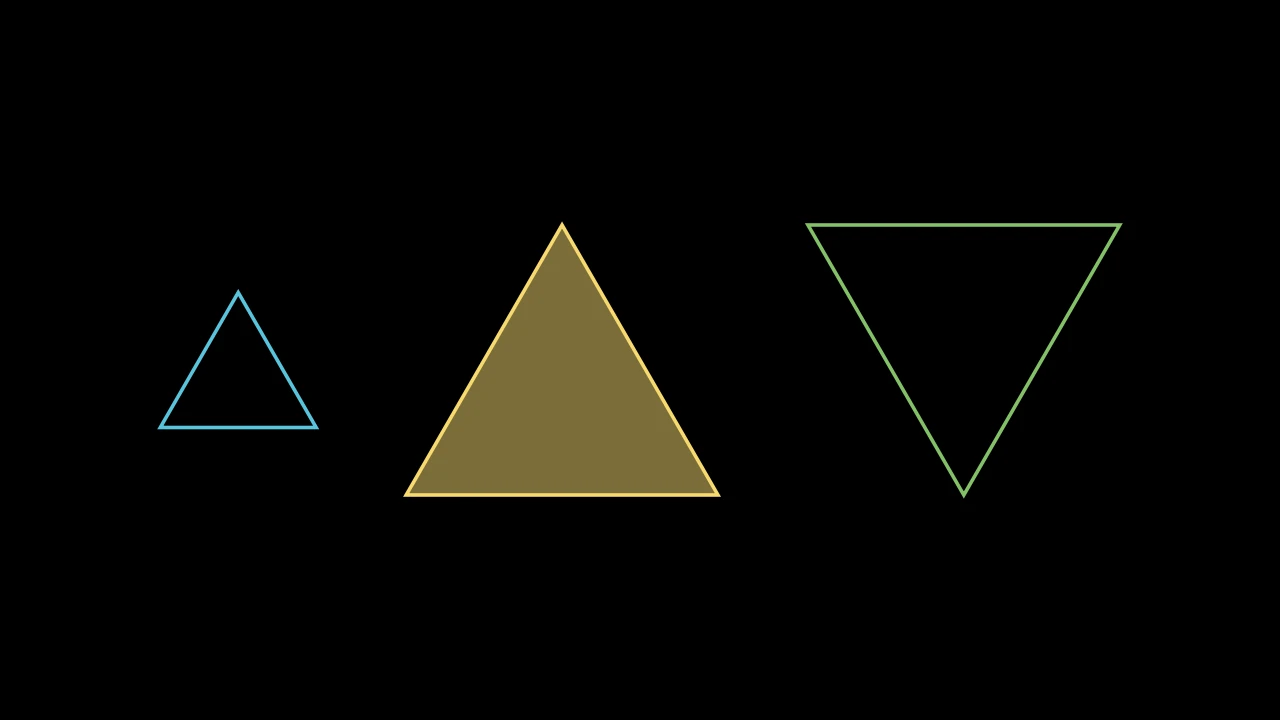
An equilateral triangle, pointing up, its vertices on a circle of radius 1 unless given another; blue unless styled.
It also takes
the RegularPolygon keywords.
Source
src/manimgx/mobjects/shapes.py
Square 
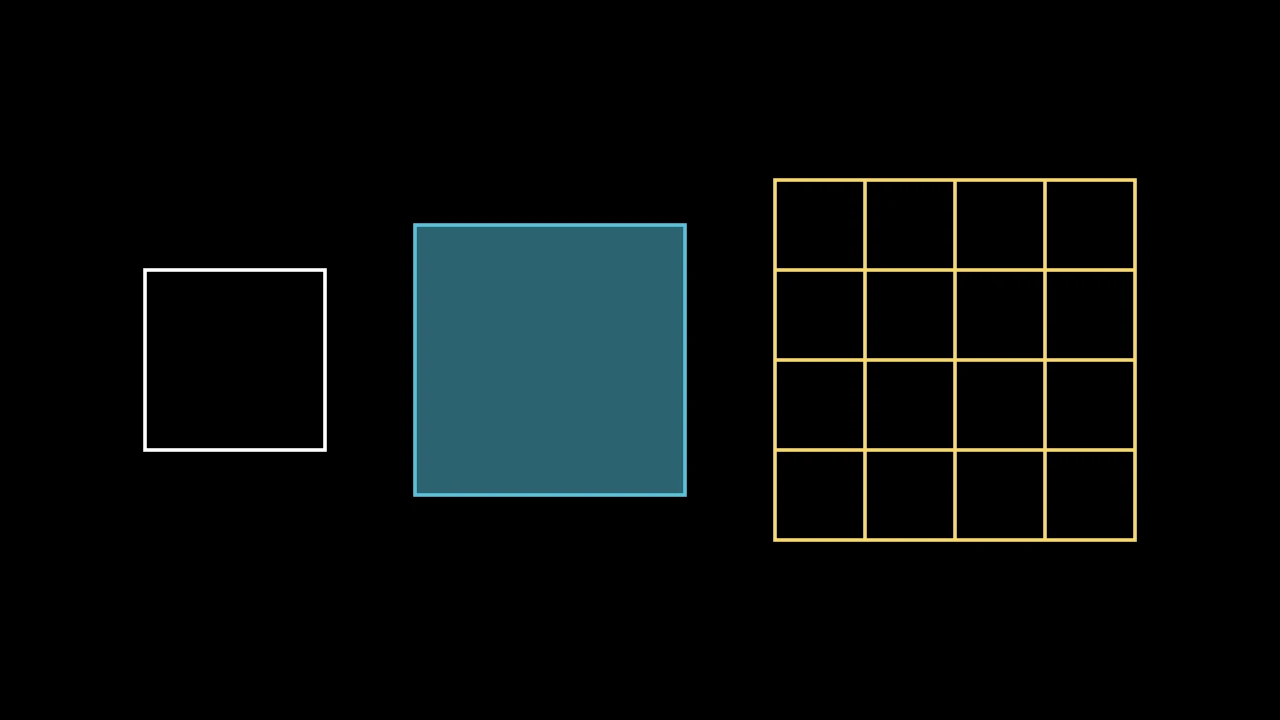
A square, 2 on a side unless sized, centered at the origin; white unless styled.
side_lengthThe length of its sides, in scene units.
grid_xstepThe distance between the vertical lines of its grid, from its left edge, in scene units (default None: no vertical lines).
grid_ystepThe distance between the horizontal lines of its grid, from its top edge, in scene units (default None: no horizontal lines).
mark_paths_closedAccepted for Manim compatibility; ignored.
colorThe color of both fill and stroke (default white); None for the class's default.
fill_colorThe fill's color;
colorif not given. Several colors make a gradient alongsheen_direction.fill_opacityThe fill's opacity, from 0 to 1 (default 0: no fill).
stroke_colorThe stroke's color;
colorif not given. Several colors make a gradient.stroke_opacityThe stroke's opacity, from 0 to 1 (default 1).
stroke_widthThe stroke's width, in hundredths of a scene unit (default 4; 0: no stroke).
background_stroke_colorThe color of an outline drawn behind the fill (default black).
background_stroke_opacityThe outline's opacity, from 0 to 1 (default 1).
background_stroke_widthThe outline's width, in hundredths of a scene unit (default 0: none).
sheen_factorHow much the colors lighten toward
sheen_direction, from -1 to 1 (default 0); a negative factor darkens.sheen_directionThe direction the colors lighten toward (default
UL).joint_typeHow the stroke is joined where its path turns: round, beveled or mitered, as a two-dimensional scene draws it (see LineJointType; default AUTO: mitered).
cap_styleHow the stroke ends, at each end it shows (an open path's, a dash's): round, butt or square, as a two-dimensional scene draws it (see CapStyleType; default AUTO: butt).
shade_in_3dWhether a three-dimensional scene's light shades the mobject.
materialHow its surface reflects the scene's lights in a three-dimensional scene (see Material); None: Manim's shading (default).
nameA name for the mobject; its class's name if not given.
z_indexIts place in the drawing order: a higher index is drawn over a lower one (default 0).
targetThe state
MoveToTargetmoves the mobject to.
Source
src/manimgx/mobjects/shapes.py
side_length 
The length of the square's sides, in scene units: the distance between its first two vertices. Set it to scale the square to that side, about its center.
Source
src/manimgx/mobjects/shapes.py
Rectangle 
Code
import manimgx as m


class RectangleExample(m.Scene):
    def construct(self) -> None:
        grid = m.Rectangle(
            m.YELLOW, height=3, width=4, grid_xstep=1, grid_ystep=0.5
        )
        rectangles = m.VGroup(
            m.Rectangle(),
            m.Rectangle(m.BLUE, height=4, width=1.5, fill_opacity=0.5),
            grid,
        ).arrange(buff=1)
        self.add(rectangles)
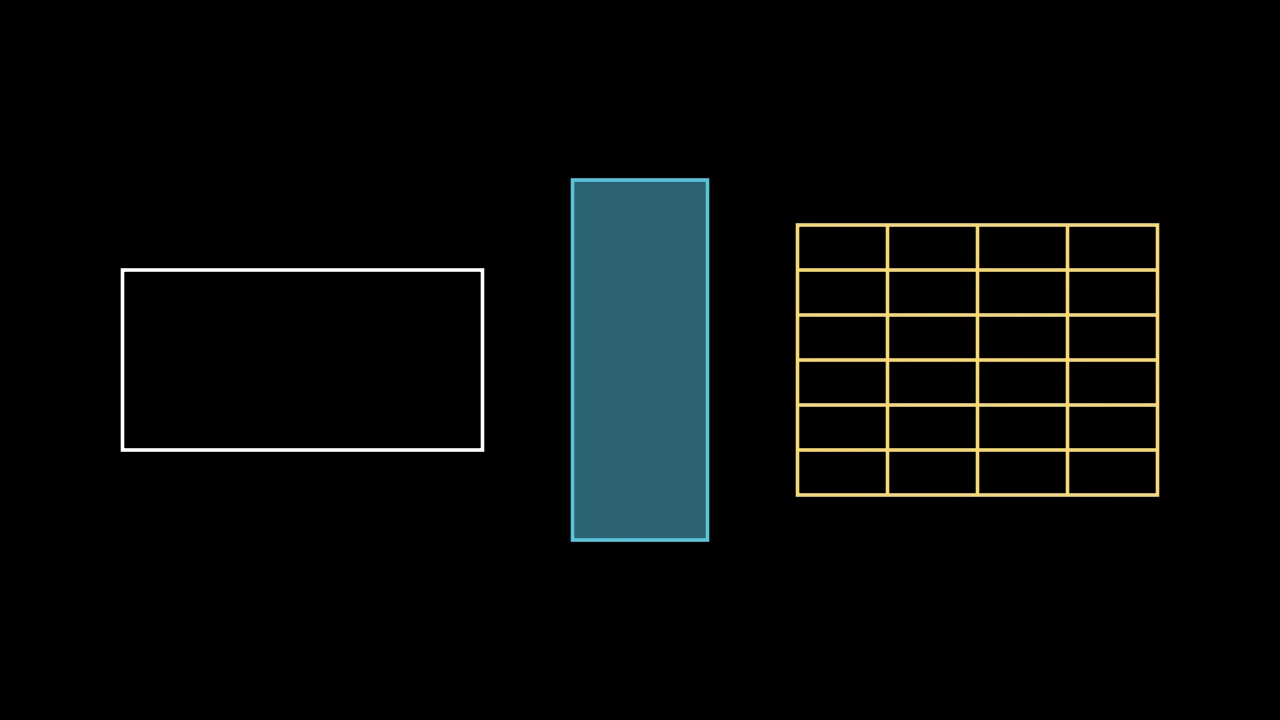
A rectangle, 4 wide and 2 tall unless sized, centered at the origin; white unless styled.
Its vertices run counterclockwise from its top right corner. With grid_xstep or
grid_ystep it is ruled into a grid: lines across it, its
grid_lines, in its color.
colorIts color, which may be given by position (
Rectangle(BLUE)); None for white.heightIts height, in scene units.
widthIts width, in scene units.
grid_xstepThe distance between the vertical lines of its grid, from its left edge, in scene units; None for none.
grid_ystepThe distance between the horizontal lines of its grid, from its top edge, in scene units; None for none.
mark_paths_closedAccepted for Manim compatibility; ignored.
fill_colorThe fill's color;
colorif not given. Several colors make a gradient alongsheen_direction.fill_opacityThe fill's opacity, from 0 to 1 (default 0: no fill).
stroke_colorThe stroke's color;
colorif not given. Several colors make a gradient.stroke_opacityThe stroke's opacity, from 0 to 1 (default 1).
stroke_widthThe stroke's width, in hundredths of a scene unit (default 4; 0: no stroke).
background_stroke_colorThe color of an outline drawn behind the fill (default black).
background_stroke_opacityThe outline's opacity, from 0 to 1 (default 1).
background_stroke_widthThe outline's width, in hundredths of a scene unit (default 0: none).
sheen_factorHow much the colors lighten toward
sheen_direction, from -1 to 1 (default 0); a negative factor darkens.sheen_directionThe direction the colors lighten toward (default
UL).joint_typeHow the stroke is joined where its path turns: round, beveled or mitered, as a two-dimensional scene draws it (see LineJointType; default AUTO: mitered).
cap_styleHow the stroke ends, at each end it shows (an open path's, a dash's): round, butt or square, as a two-dimensional scene draws it (see CapStyleType; default AUTO: butt).
shade_in_3dWhether a three-dimensional scene's light shades the mobject.
materialHow its surface reflects the scene's lights in a three-dimensional scene (see Material); None: Manim's shading (default).
nameA name for the mobject; its class's name if not given.
z_indexIts place in the drawing order: a higher index is drawn over a lower one (default 0).
targetThe state
MoveToTargetmoves the mobject to.
It also takes the style keywords.
Source
src/manimgx/mobjects/shapes.py
grid_lines 
The lines of its grid: a group of the vertical lines, then one of the horizontal lines, those it has; a submobject, unless it is empty (without a grid).
RoundedRectangle 
Code
import manimgx as m


class RoundedRectangleExample(m.Scene):
    def construct(self) -> None:
        leaf = m.RoundedRectangle([0, 1.2, 0, 1.2], height=3, width=3)
        rectangles = m.VGroup(
            m.RoundedRectangle(),
            m.RoundedRectangle(1.5, height=4, width=4, color=m.BLUE),
            leaf.set_color(m.YELLOW),
        ).arrange(buff=1)
        self.add(rectangles)
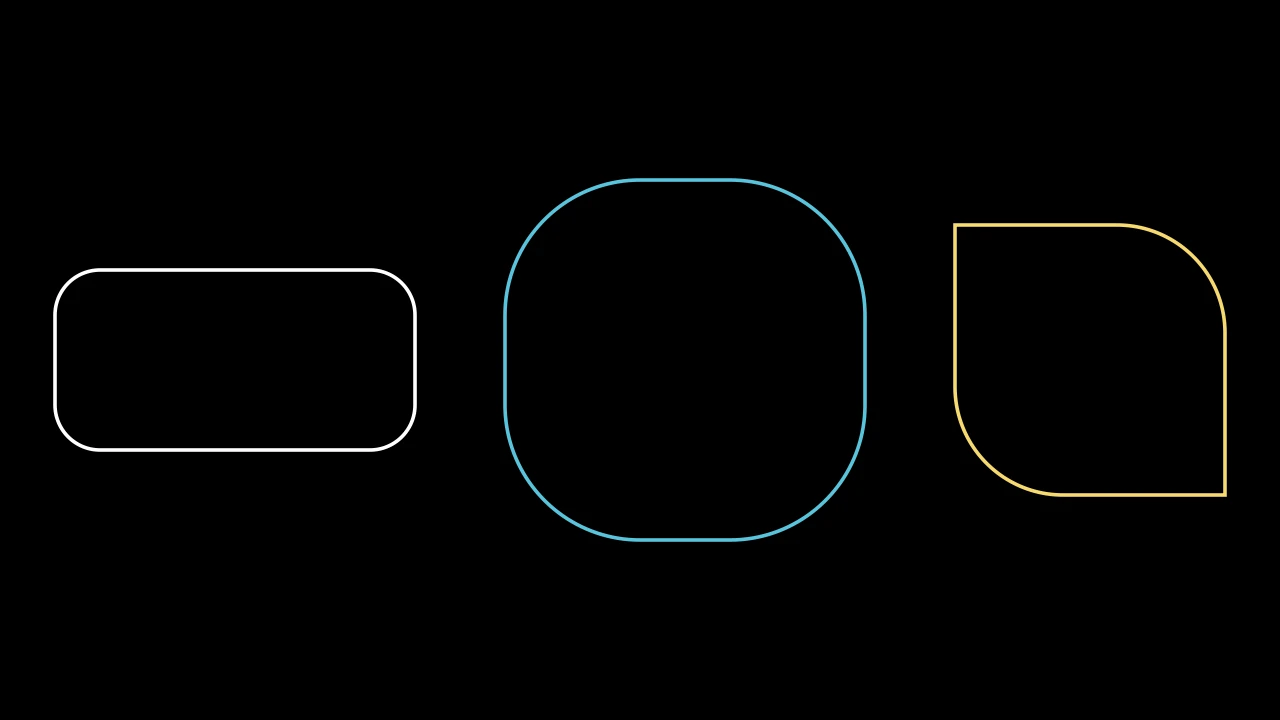
A rectangle with rounded corners, 4 wide and 2 tall unless sized; white unless styled.
corner_radiusThe radius of its corners, in scene units; or a list of radii for its top left, bottom left, bottom right and top right corners, in that order, repeated if there are one or two (see round_corners).
It also takes
the Rectangle keywords.
Source
src/manimgx/mobjects/shapes.py
RegularPolygon 
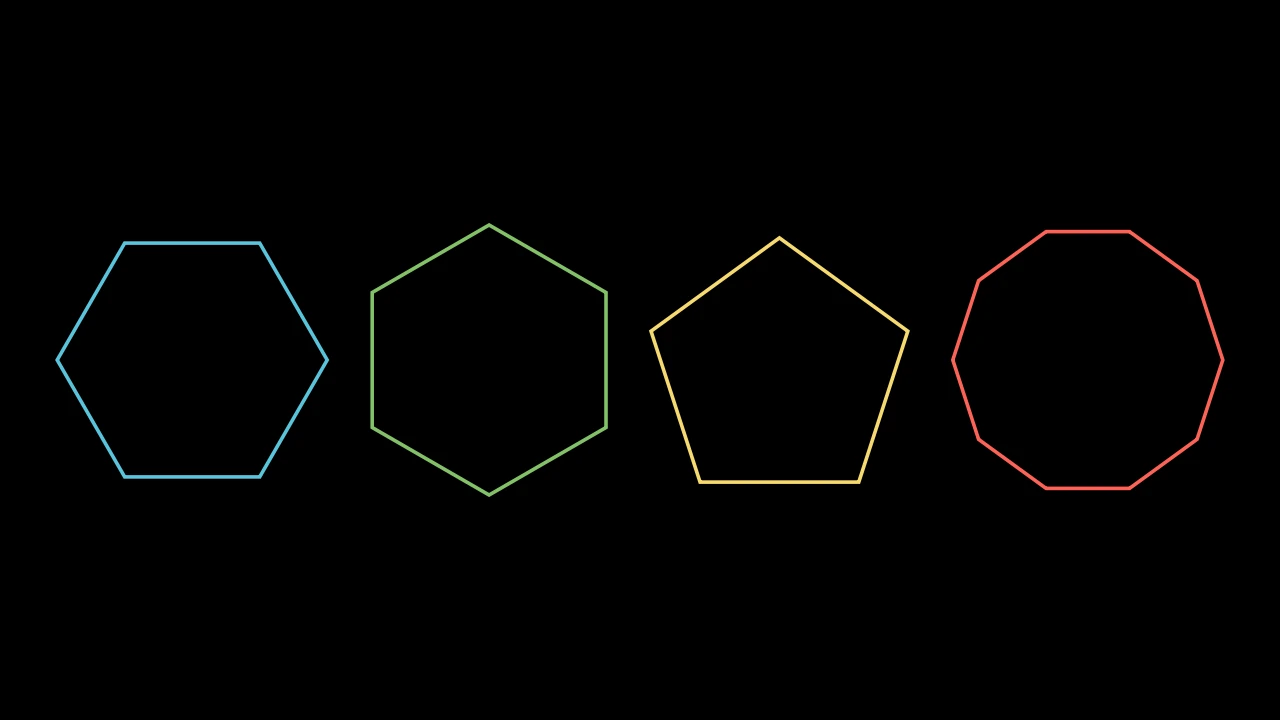
Code
import manimgx as m


class RegularPolygonExample(m.Scene):
    def construct(self) -> None:
        polygons = m.VGroup(
            m.RegularPolygon(radius=1.5),
            m.RegularPolygon(radius=1.5, start_angle=m.PI / 6, color=m.GREEN),
            m.RegularPolygon(5, radius=1.5, color=m.YELLOW),
            m.RegularPolygon(10, radius=1.5, color=m.RED),
        ).arrange(buff=0.5)
        self.add(polygons)
A regular polygon: n vertices evenly spaced on a circle, joined in turn; blue
unless styled.
nHow many vertices, and sides, it has.
radiusThe radius of the circle its vertices are on, in scene units (default 1).
start_angleThe angle of its first vertex, in radians, counterclockwise from the positive x-axis (default None: a vertex straight up if their number is odd, to the right if it is even).
colorThe color of both fill and stroke (default white); None for the class's default.
fill_colorThe fill's color;
colorif not given. Several colors make a gradient alongsheen_direction.fill_opacityThe fill's opacity, from 0 to 1 (default 0: no fill).
stroke_colorThe stroke's color;
colorif not given. Several colors make a gradient.stroke_opacityThe stroke's opacity, from 0 to 1 (default 1).
stroke_widthThe stroke's width, in hundredths of a scene unit (default 4; 0: no stroke).
background_stroke_colorThe color of an outline drawn behind the fill (default black).
background_stroke_opacityThe outline's opacity, from 0 to 1 (default 1).
background_stroke_widthThe outline's width, in hundredths of a scene unit (default 0: none).
sheen_factorHow much the colors lighten toward
sheen_direction, from -1 to 1 (default 0); a negative factor darkens.sheen_directionThe direction the colors lighten toward (default
UL).joint_typeHow the stroke is joined where its path turns: round, beveled or mitered, as a two-dimensional scene draws it (see LineJointType; default AUTO: mitered).
cap_styleHow the stroke ends, at each end it shows (an open path's, a dash's): round, butt or square, as a two-dimensional scene draws it (see CapStyleType; default AUTO: butt).
shade_in_3dWhether a three-dimensional scene's light shades the mobject.
materialHow its surface reflects the scene's lights in a three-dimensional scene (see Material); None: Manim's shading (default).
nameA name for the mobject; its class's name if not given.
z_indexIts place in the drawing order: a higher index is drawn over a lower one (default 0).
targetThe state
MoveToTargetmoves the mobject to.
Source
src/manimgx/mobjects/shapes.py
RegularPolygram 
Code
import manimgx as m


class RegularPolygramExample(m.Scene):
    def construct(self) -> None:
        polygrams = m.VGroup(
            m.RegularPolygram(5, radius=2),
            m.RegularPolygram(7, density=3, radius=2, color=m.YELLOW),
            m.RegularPolygram(6, radius=2, color=m.GREEN),
        ).arrange(buff=1)
        self.play(m.Create(polygrams, run_time=3))
A regular star polygon: points evenly spaced on a circle, each joined to the one
density steps on; blue unless styled.
With a density of 1 it is a regular polygon; five points at density 2 make a pentagram. When the number of points and the density share a factor, the points make that many polygrams, each turned from the last: six points at density 2 make two triangles, a hexagram.
num_verticesHow many points there are on the circle.
densityHow many steps on each point is joined to: 1 for a polygon.
radiusThe radius of the circle, in scene units.
start_angleThe angle of the first point, in radians, counterclockwise from the positive x-axis; None for a point straight up if each polygram has an odd number of points, to the right if even.
colorThe color of both fill and stroke (default white); None for the class's default.
fill_colorThe fill's color;
colorif not given. Several colors make a gradient alongsheen_direction.fill_opacityThe fill's opacity, from 0 to 1 (default 0: no fill).
stroke_colorThe stroke's color;
colorif not given. Several colors make a gradient.stroke_opacityThe stroke's opacity, from 0 to 1 (default 1).
stroke_widthThe stroke's width, in hundredths of a scene unit (default 4; 0: no stroke).
background_stroke_colorThe color of an outline drawn behind the fill (default black).
background_stroke_opacityThe outline's opacity, from 0 to 1 (default 1).
background_stroke_widthThe outline's width, in hundredths of a scene unit (default 0: none).
sheen_factorHow much the colors lighten toward
sheen_direction, from -1 to 1 (default 0); a negative factor darkens.sheen_directionThe direction the colors lighten toward (default
UL).joint_typeHow the stroke is joined where its path turns: round, beveled or mitered, as a two-dimensional scene draws it (see LineJointType; default AUTO: mitered).
cap_styleHow the stroke ends, at each end it shows (an open path's, a dash's): round, butt or square, as a two-dimensional scene draws it (see CapStyleType; default AUTO: butt).
shade_in_3dWhether a three-dimensional scene's light shades the mobject.
materialHow its surface reflects the scene's lights in a three-dimensional scene (see Material); None: Manim's shading (default).
nameA name for the mobject; its class's name if not given.
z_indexIts place in the drawing order: a higher index is drawn over a lower one (default 0).
targetThe state
MoveToTargetmoves the mobject to.
It also takes the style keywords.
Source
src/manimgx/mobjects/shapes.py
Star 
Code
import manimgx as m


class StarExample(m.Scene):
    def construct(self) -> None:
        stars = m.VGroup(
            m.Star(outer_radius=1.5),
            m.Star(7, outer_radius=1.5, color=m.YELLOW),
            m.Star(7, outer_radius=1.5, density=3, color=m.RED),
            m.Star(12, outer_radius=1.5, inner_radius=1, color=m.GREEN),
        ).arrange(buff=0.5)
        self.play(m.Create(stars, run_time=3))
A star: n points on a circle, and between each two a vertex on a smaller
circle; blue unless styled.
Unless given, the inner radius is the one that makes the star the outline of the
RegularPolygram of its n points at density: its
edges lie along the polygram's lines.
m.Star(n=5, *, outer_radius=1, inner_radius=None, density=2, start_angle=TAU / 4, **kwargs)
nHow many points it has.
outer_radiusThe radius of the circle its points are on, in scene units.
inner_radiusThe radius of the circle its inner vertices are on, in scene units; None to set it by
density.densityWithout
inner_radius, the density of the polygram whose outline it is: the higher, the thinner its points. It must be above 0 and belown / 2.start_angleThe angle of its first point, in radians, counterclockwise from the positive x-axis (default a quarter turn: straight up); None for a point straight up if
nis odd, to the right if even.colorThe color of both fill and stroke (default white); None for the class's default.
fill_colorThe fill's color;
colorif not given. Several colors make a gradient alongsheen_direction.fill_opacityThe fill's opacity, from 0 to 1 (default 0: no fill).
stroke_colorThe stroke's color;
colorif not given. Several colors make a gradient.stroke_opacityThe stroke's opacity, from 0 to 1 (default 1).
stroke_widthThe stroke's width, in hundredths of a scene unit (default 4; 0: no stroke).
background_stroke_colorThe color of an outline drawn behind the fill (default black).
background_stroke_opacityThe outline's opacity, from 0 to 1 (default 1).
background_stroke_widthThe outline's width, in hundredths of a scene unit (default 0: none).
sheen_factorHow much the colors lighten toward
sheen_direction, from -1 to 1 (default 0); a negative factor darkens.sheen_directionThe direction the colors lighten toward (default
UL).joint_typeHow the stroke is joined where its path turns: round, beveled or mitered, as a two-dimensional scene draws it (see LineJointType; default AUTO: mitered).
cap_styleHow the stroke ends, at each end it shows (an open path's, a dash's): round, butt or square, as a two-dimensional scene draws it (see CapStyleType; default AUTO: butt).
shade_in_3dWhether a three-dimensional scene's light shades the mobject.
materialHow its surface reflects the scene's lights in a three-dimensional scene (see Material); None: Manim's shading (default).
nameA name for the mobject; its class's name if not given.
z_indexIts place in the drawing order: a higher index is drawn over a lower one (default 0).
targetThe state
MoveToTargetmoves the mobject to.
It also takes the style keywords.
Source
src/manimgx/mobjects/shapes.py
ArcPolygon 
Code
import manimgx as m


class ArcPolygonExample(m.Scene):
    def construct(self) -> None:
        a, b, c = [0, 0, 0], [2.5, 0, 0], [0, 2.5, 0]
        sides = [{"radius": 2, "color": m.RED}, {"angle": 0}, {"angle": 1}]
        shapes = m.VGroup(
            m.ArcPolygon(a, b, c),
            m.ArcPolygon(a, b, c, radius=2, fill_opacity=0.5).set_color(m.BLUE),
            m.ArcPolygon(a, b, c, angle=-m.PI / 3).set_color(m.GREEN),
            m.ArcPolygon(a, b, c, arc_config=sides),
        ).arrange(buff=0.6)
        self.play(m.Create(shapes, run_time=4))
A polygon whose sides are arcs: an ArcBetweenPoints from each vertex to the next, and from the last back to the first; white unless styled.
Going around the vertices counterclockwise, arcs of a positive angle bulge out, and
arcs of a negative one bend in. Its outline runs along the arcs, and is filled and
stroked in its style. The arcs are also its submobjects, its
arcs, drawn over its outline in their own style (white
unless arc_config styles them): to color the whole, style them too, as a family
method such as set_color does.
m.ArcPolygon(*vertices, angle=PI / 4, radius=None, arc_config=None, **kwargs)
*verticesThe vertices, in order around it.
angleThe angle every arc turns through, in radians, unless
radiusorarc_configis given.radiusThe radius of every arc, in scene units, in place of
angle, unlessarc_configis given; None (or 0) to useangle.arc_configThe arcs' ArcBetweenPoints keywords, in place of
angleandradius: one set for every arc, or a list of one per side, the first vertex's side first.colorThe color of both fill and stroke (default white); None for the class's default.
fill_colorThe fill's color;
colorif not given. Several colors make a gradient alongsheen_direction.fill_opacityThe fill's opacity, from 0 to 1 (default 0: no fill).
stroke_colorThe stroke's color;
colorif not given. Several colors make a gradient.stroke_opacityThe stroke's opacity, from 0 to 1 (default 1).
stroke_widthThe stroke's width, in hundredths of a scene unit (default 4; 0: no stroke).
background_stroke_colorThe color of an outline drawn behind the fill (default black).
background_stroke_opacityThe outline's opacity, from 0 to 1 (default 1).
background_stroke_widthThe outline's width, in hundredths of a scene unit (default 0: none).
sheen_factorHow much the colors lighten toward
sheen_direction, from -1 to 1 (default 0); a negative factor darkens.sheen_directionThe direction the colors lighten toward (default
UL).joint_typeHow the stroke is joined where its path turns: round, beveled or mitered, as a two-dimensional scene draws it (see LineJointType; default AUTO: mitered).
cap_styleHow the stroke ends, at each end it shows (an open path's, a dash's): round, butt or square, as a two-dimensional scene draws it (see CapStyleType; default AUTO: butt).
shade_in_3dWhether a three-dimensional scene's light shades the mobject.
materialHow its surface reflects the scene's lights in a three-dimensional scene (see Material); None: Manim's shading (default).
nameA name for the mobject; its class's name if not given.
z_indexIts place in the drawing order: a higher index is drawn over a lower one (default 0).
targetThe state
MoveToTargetmoves the mobject to.
It also takes the style keywords.
Source
src/manimgx/mobjects/shapes.py
arcs 
The arcs, one per side, the first vertex's side first; they are also its submobjects.
ArcPolygonFromArcs 
Code
import manimgx as m


class ArcPolygonFromArcsExample(m.Scene):
    def construct(self) -> None:
        a, b, c = [-5.5, -1.3, 0], [-2.5, -1.3, 0], [-4, 1.3, 0]
        pairs = (a, b), (b, c), (c, a)
        sides = [m.ArcBetweenPoints(p, q, radius=3) for p, q in pairs]
        reuleaux = m.ArcPolygonFromArcs(*sides, fill_opacity=0.5)
        left = m.Arc(start_angle=m.PI / 2, angle=m.PI).shift(1.5 * m.RIGHT)
        right = m.Arc(start_angle=-m.PI / 2, angle=m.PI).shift(4.5 * m.RIGHT)
        stadium = m.ArcPolygonFromArcs(left, right, fill_opacity=0.5)
        reuleaux.set_color(m.BLUE)
        stadium.set_color(m.GREEN)
        self.play(m.Create(reuleaux), m.Create(stadium))
A closed shape made of arcs: each arc in turn, joined to the next by a straight line where they do not meet, and the last to the first; white unless styled.
Its outline is filled and stroked in its style. The arcs are also its submobjects, its arcs, drawn over its outline in their own style: to color the whole, style them too, as a family method such as set_color does.
*arcsThe arcs, in order around it: Arcs, or ArcBetweenPoints.
colorThe color of both fill and stroke (default white); None for the class's default.
fill_colorThe fill's color;
colorif not given. Several colors make a gradient alongsheen_direction.fill_opacityThe fill's opacity, from 0 to 1 (default 0: no fill).
stroke_colorThe stroke's color;
colorif not given. Several colors make a gradient.stroke_opacityThe stroke's opacity, from 0 to 1 (default 1).
stroke_widthThe stroke's width, in hundredths of a scene unit (default 4; 0: no stroke).
background_stroke_colorThe color of an outline drawn behind the fill (default black).
background_stroke_opacityThe outline's opacity, from 0 to 1 (default 1).
background_stroke_widthThe outline's width, in hundredths of a scene unit (default 0: none).
sheen_factorHow much the colors lighten toward
sheen_direction, from -1 to 1 (default 0); a negative factor darkens.sheen_directionThe direction the colors lighten toward (default
UL).joint_typeHow the stroke is joined where its path turns: round, beveled or mitered, as a two-dimensional scene draws it (see LineJointType; default AUTO: mitered).
cap_styleHow the stroke ends, at each end it shows (an open path's, a dash's): round, butt or square, as a two-dimensional scene draws it (see CapStyleType; default AUTO: butt).
shade_in_3dWhether a three-dimensional scene's light shades the mobject.
materialHow its surface reflects the scene's lights in a three-dimensional scene (see Material); None: Manim's shading (default).
nameA name for the mobject; its class's name if not given.
z_indexIts place in the drawing order: a higher index is drawn over a lower one (default 0).
targetThe state
MoveToTargetmoves the mobject to.
It also takes the style keywords.
Source
src/manimgx/mobjects/shapes.py
arcs 
The arcs, in order; they are also its submobjects.
The screen's shape
ScreenRectangle 
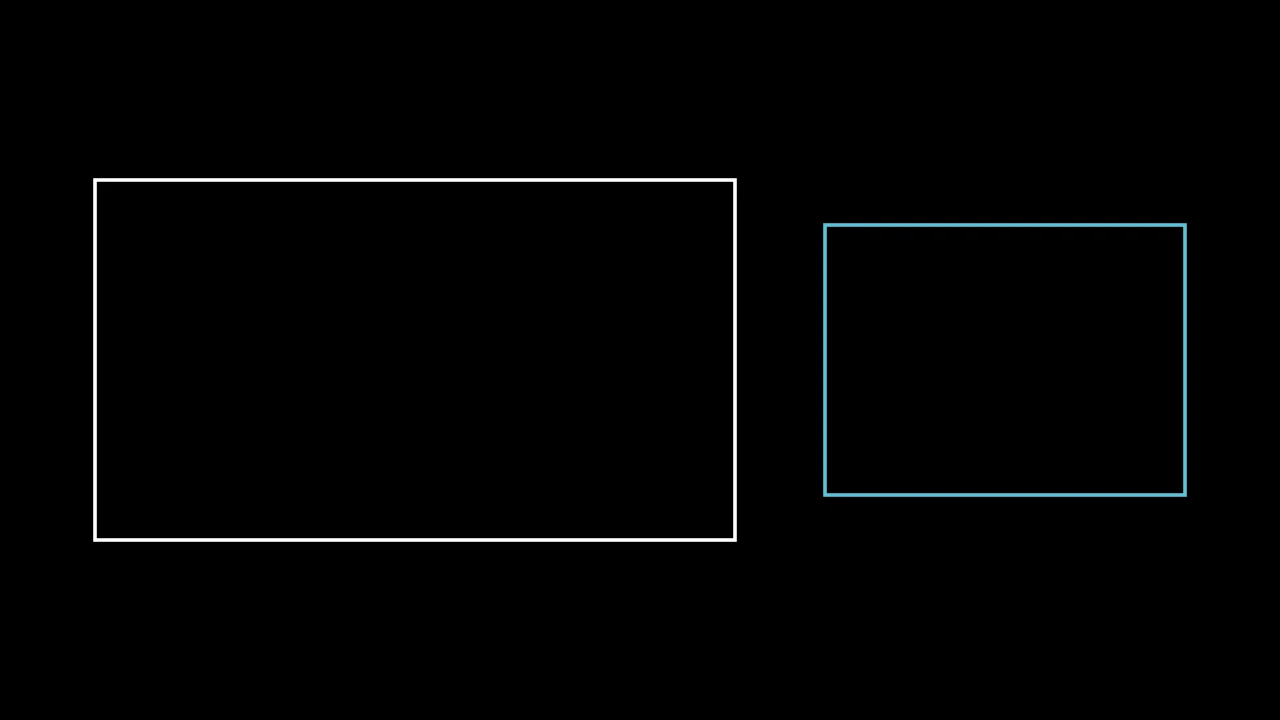
A rectangle with a screen's proportions, 16:9 and 4 tall unless given others, centered at the origin; white unless styled.
aspect_ratioIts width over its height.
heightIts height, in scene units.
colorThe color of both fill and stroke (default white); None for the class's default.
fill_colorThe fill's color;
colorif not given. Several colors make a gradient alongsheen_direction.fill_opacityThe fill's opacity, from 0 to 1 (default 0: no fill).
stroke_colorThe stroke's color;
colorif not given. Several colors make a gradient.stroke_opacityThe stroke's opacity, from 0 to 1 (default 1).
stroke_widthThe stroke's width, in hundredths of a scene unit (default 4; 0: no stroke).
background_stroke_colorThe color of an outline drawn behind the fill (default black).
background_stroke_opacityThe outline's opacity, from 0 to 1 (default 1).
background_stroke_widthThe outline's width, in hundredths of a scene unit (default 0: none).
sheen_factorHow much the colors lighten toward
sheen_direction, from -1 to 1 (default 0); a negative factor darkens.sheen_directionThe direction the colors lighten toward (default
UL).joint_typeHow the stroke is joined where its path turns: round, beveled or mitered, as a two-dimensional scene draws it (see LineJointType; default AUTO: mitered).
cap_styleHow the stroke ends, at each end it shows (an open path's, a dash's): round, butt or square, as a two-dimensional scene draws it (see CapStyleType; default AUTO: butt).
shade_in_3dWhether a three-dimensional scene's light shades the mobject.
materialHow its surface reflects the scene's lights in a three-dimensional scene (see Material); None: Manim's shading (default).
nameA name for the mobject; its class's name if not given.
z_indexIts place in the drawing order: a higher index is drawn over a lower one (default 0).
targetThe state
MoveToTargetmoves the mobject to.
It also takes the style keywords.
Source
src/manimgx/mobjects/shapes.py
aspect_ratio 
The rectangle's width over its height. Set it to stretch the rectangle's width to that proportion, about its center; its height stays.
FullScreenRectangle 
A screen rectangle as tall as the frame, centered at the origin: with the 16:9 proportions it has unless given others, the frame's own outline; white unless styled.
Its height is the frame's (8 units unless configured otherwise), whatever height
is given.
It also takes
the ScreenRectangle keywords.
Source
src/manimgx/mobjects/shapes.py