Circles and arcs
The film's code
import manimgx as m


class CirclesAndArcs(m.Scene):
    def construct(self) -> None:
        shapes = m.VGroup(
            m.Circle(color=m.BLUE),
            m.Dot(radius=0.3, color=m.YELLOW),
            m.Ellipse(width=2.6, height=1.4, color=m.GREEN),
            m.Arc(radius=1, start_angle=0, angle=3 * m.PI / 2, color=m.RED),
            m.Annulus(inner_radius=0.5, outer_radius=1, color=m.TEAL),
            m.Sector(radius=1.1, angle=2 * m.PI / 3, color=m.GOLD),
        )
        names = ["Circle", "Dot", "Ellipse", "Arc", "Annulus", "Sector"]
        cells = m.VGroup()
        for shape, name in zip(shapes, names, strict=True):
            label = m.Text(name, font="monospace", font_size=30)
            cells.add(m.VGroup(shape, label.next_to(shape, m.DOWN, buff=0.4)))
        cells.arrange_in_grid(rows=2, buff=(1.2, 0.8))
        self.play(m.LaggedStart(*[m.Create(cell[0]) for cell in cells], lag_ratio=0.15))
        self.play(m.FadeIn(m.VGroup(*[cell[1] for cell in cells])))
        self.wait()
A circle is an arc that goes all the way around. An arc is a part of a circle: from a start angle, counterclockwise through an angle. A dot is a small filled circle, to mark a point. A ring is the region between two circles, and a slice of it, or of a disc, is a sector.
Arcs end in tips as lines do: see Lines and arrows.
Circle 
A circle: drawn counterclockwise from its rightmost point, red unless styled.
m.Circle(radius=None, color=None, *, num_components=9, arc_center=ORIGIN, **kwargs)
radiusThe radius, in scene units; None for 1.
colorThe color, which may be given by position (
Circle(1, BLUE)); None for red.num_componentsHow many anchor points it is drawn through: the circle is one fewer cubic Bézier arcs.
arc_centerWhere its center goes.
tip_lengthThe length of the tips add_tip makes, in scene units (default 0.35; an Arrow's may be shorter).
normal_vectorThe normal of the plane the path lies in (default OUT). Accepted for Manim compatibility; ignored and not retained.
tip_styleStyle keywords for the tips the path makes (default None: none). A tip's
fill_colorandstroke_colorare the path's color unless given here.fill_colorThe fill's color;
colorif not given. Several colors make a gradient alongsheen_direction.fill_opacityThe fill's opacity, from 0 to 1 (default 0: no fill).
stroke_colorThe stroke's color;
colorif not given. Several colors make a gradient.stroke_opacityThe stroke's opacity, from 0 to 1 (default 1).
stroke_widthThe stroke's width, in hundredths of a scene unit (default 4; 0: no stroke).
background_stroke_colorThe color of an outline drawn behind the fill (default black).
background_stroke_opacityThe outline's opacity, from 0 to 1 (default 1).
background_stroke_widthThe outline's width, in hundredths of a scene unit (default 0: none).
sheen_factorHow much the colors lighten toward
sheen_direction, from -1 to 1 (default 0); a negative factor darkens.sheen_directionThe direction the colors lighten toward (default
UL).joint_typeHow the stroke is joined where its path turns: round, beveled or mitered, as a two-dimensional scene draws it (see LineJointType; default AUTO: mitered).
cap_styleHow the stroke ends, at each end it shows (an open path's, a dash's): round, butt or square, as a two-dimensional scene draws it (see CapStyleType; default AUTO: butt).
shade_in_3dWhether a three-dimensional scene's light shades the mobject.
materialHow its surface reflects the scene's lights in a three-dimensional scene (see Material); None: Manim's shading (default).
nameA name for the mobject; its class's name if not given.
z_indexIts place in the drawing order: a higher index is drawn over a lower one (default 0).
targetThe state
MoveToTargetmoves the mobject to.
It also takes the tip keywords.
Source
src/manimgx/mobjects/shapes.py
surround 
Fit the circle around a mobject: through the corners of its bounding box, enlarged
by buffer_factor, then buff farther out.
mobjectThe mobject to surround.
dim_to_matchThe dimension (0, 1 or 2) of
mobjectthe circle is first fitted to, before it grows to the corners.stretchWhether that first fit stretches the circle into an ellipse matching the bounding box.
buffHow much farther out the circle goes, in scene units.
buffer_factorHow much larger than through the corners the circle is.
Source
src/manimgx/mobjects/shapes.py
point_at_angle 
The point of the circle at an angle from its start, its rightmost point.
angleThe angle, in radians, counterclockwise; any angle wraps around.
Returns The point, in scene coordinates.
Source
src/manimgx/mobjects/shapes.py
from_three_points 
The circle through three points.
p1A point on the circle.
p2A second point on it.
p3A third point on it, not on the line through the other two.
colorThe color of both fill and stroke (default white; a Circle's is red); None for the class's default.
tip_lengthThe length of the tips add_tip makes, in scene units (default 0.35; an Arrow's may be shorter).
normal_vectorThe normal of the plane the path lies in (default OUT). Accepted for Manim compatibility; ignored and not retained.
tip_styleStyle keywords for the tips the path makes (default None: none). A tip's
fill_colorandstroke_colorare the path's color unless given here.fill_colorThe fill's color;
colorif not given. Several colors make a gradient alongsheen_direction.fill_opacityThe fill's opacity, from 0 to 1 (default 0: no fill).
stroke_colorThe stroke's color;
colorif not given. Several colors make a gradient.stroke_opacityThe stroke's opacity, from 0 to 1 (default 1).
stroke_widthThe stroke's width, in hundredths of a scene unit (default 4; 0: no stroke).
background_stroke_colorThe color of an outline drawn behind the fill (default black).
background_stroke_opacityThe outline's opacity, from 0 to 1 (default 1).
background_stroke_widthThe outline's width, in hundredths of a scene unit (default 0: none).
sheen_factorHow much the colors lighten toward
sheen_direction, from -1 to 1 (default 0); a negative factor darkens.sheen_directionThe direction the colors lighten toward (default
UL).joint_typeHow the stroke is joined where its path turns: round, beveled or mitered, as a two-dimensional scene draws it (see LineJointType; default AUTO: mitered).
cap_styleHow the stroke ends, at each end it shows (an open path's, a dash's): round, butt or square, as a two-dimensional scene draws it (see CapStyleType; default AUTO: butt).
shade_in_3dWhether a three-dimensional scene's light shades the mobject.
materialHow its surface reflects the scene's lights in a three-dimensional scene (see Material); None: Manim's shading (default).
nameA name for the mobject; its class's name if not given.
z_indexIts place in the drawing order: a higher index is drawn over a lower one (default 0).
targetThe state
MoveToTargetmoves the mobject to.
It also takes the tip keywords.
Returns A new circle.
Source
src/manimgx/mobjects/shapes.py
Dot 
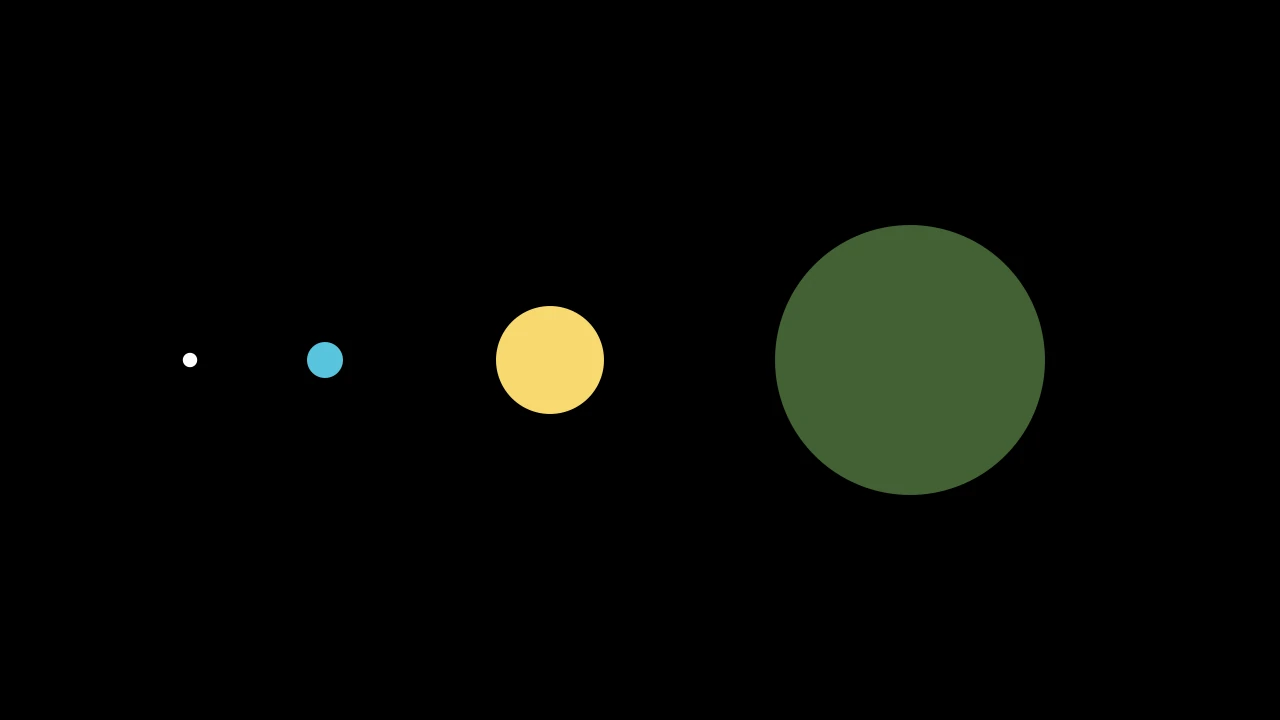
A dot: a small filled disc, white and without an outline unless styled.
m.Dot(point=ORIGIN, radius=DEFAULT_DOT_RADIUS, **kwargs)
pointWhere its center goes.
radiusIts radius, in scene units (default 0.08).
colorThe color of both fill and stroke (default white; a Circle's is red); None for the class's default.
tip_lengthThe length of the tips add_tip makes, in scene units (default 0.35; an Arrow's may be shorter).
normal_vectorThe normal of the plane the path lies in (default OUT). Accepted for Manim compatibility; ignored and not retained.
tip_styleStyle keywords for the tips the path makes (default None: none). A tip's
fill_colorandstroke_colorare the path's color unless given here.fill_colorThe fill's color;
colorif not given. Several colors make a gradient alongsheen_direction.fill_opacityThe fill's opacity, from 0 to 1 (default 0: no fill).
stroke_colorThe stroke's color;
colorif not given. Several colors make a gradient.stroke_opacityThe stroke's opacity, from 0 to 1 (default 1).
stroke_widthThe stroke's width, in hundredths of a scene unit (default 4; 0: no stroke).
background_stroke_colorThe color of an outline drawn behind the fill (default black).
background_stroke_opacityThe outline's opacity, from 0 to 1 (default 1).
background_stroke_widthThe outline's width, in hundredths of a scene unit (default 0: none).
sheen_factorHow much the colors lighten toward
sheen_direction, from -1 to 1 (default 0); a negative factor darkens.sheen_directionThe direction the colors lighten toward (default
UL).joint_typeHow the stroke is joined where its path turns: round, beveled or mitered, as a two-dimensional scene draws it (see LineJointType; default AUTO: mitered).
cap_styleHow the stroke ends, at each end it shows (an open path's, a dash's): round, butt or square, as a two-dimensional scene draws it (see CapStyleType; default AUTO: butt).
shade_in_3dWhether a three-dimensional scene's light shades the mobject.
materialHow its surface reflects the scene's lights in a three-dimensional scene (see Material); None: Manim's shading (default).
nameA name for the mobject; its class's name if not given.
z_indexIts place in the drawing order: a higher index is drawn over a lower one (default 0).
targetThe state
MoveToTargetmoves the mobject to.
It also takes the tip keywords.
Source
src/manimgx/mobjects/shapes.py
Ellipse 
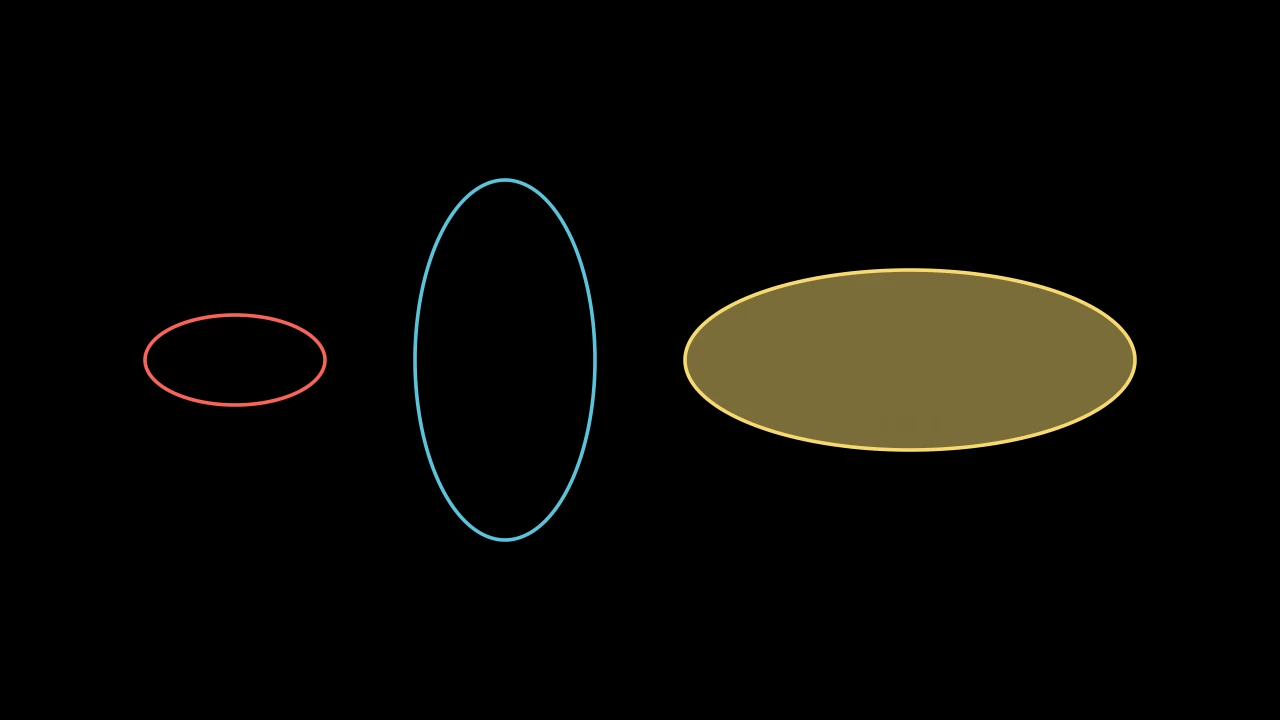
An ellipse: a circle stretched to a width and a height, red unless styled.
Like a circle, it is drawn counterclockwise from its rightmost point.
widthIts width, in scene units: its extent along x.
heightIts height, in scene units: its extent along y.
num_componentsHow many anchor points the arc is drawn through: it is one fewer cubic Bézier curves (default 9).
arc_centerWhere the center of the arc's circle goes, in scene coordinates (default ORIGIN).
colorThe color of both fill and stroke (default white; a Circle's is red); None for the class's default.
tip_lengthThe length of the tips add_tip makes, in scene units (default 0.35; an Arrow's may be shorter).
normal_vectorThe normal of the plane the path lies in (default OUT). Accepted for Manim compatibility; ignored and not retained.
tip_styleStyle keywords for the tips the path makes (default None: none). A tip's
fill_colorandstroke_colorare the path's color unless given here.fill_colorThe fill's color;
colorif not given. Several colors make a gradient alongsheen_direction.fill_opacityThe fill's opacity, from 0 to 1 (default 0: no fill).
stroke_colorThe stroke's color;
colorif not given. Several colors make a gradient.stroke_opacityThe stroke's opacity, from 0 to 1 (default 1).
stroke_widthThe stroke's width, in hundredths of a scene unit (default 4; 0: no stroke).
background_stroke_colorThe color of an outline drawn behind the fill (default black).
background_stroke_opacityThe outline's opacity, from 0 to 1 (default 1).
background_stroke_widthThe outline's width, in hundredths of a scene unit (default 0: none).
sheen_factorHow much the colors lighten toward
sheen_direction, from -1 to 1 (default 0); a negative factor darkens.sheen_directionThe direction the colors lighten toward (default
UL).joint_typeHow the stroke is joined where its path turns: round, beveled or mitered, as a two-dimensional scene draws it (see LineJointType; default AUTO: mitered).
cap_styleHow the stroke ends, at each end it shows (an open path's, a dash's): round, butt or square, as a two-dimensional scene draws it (see CapStyleType; default AUTO: butt).
shade_in_3dWhether a three-dimensional scene's light shades the mobject.
materialHow its surface reflects the scene's lights in a three-dimensional scene (see Material); None: Manim's shading (default).
nameA name for the mobject; its class's name if not given.
z_indexIts place in the drawing order: a higher index is drawn over a lower one (default 0).
targetThe state
MoveToTargetmoves the mobject to.
Source
src/manimgx/mobjects/shapes.py
Arc 
Code
import manimgx as m


class ArcExample(m.Scene):
    def construct(self) -> None:
        arcs = m.VGroup(
            m.Arc(radius=1.5, angle=m.PI, color=m.BLUE),
            m.Arc(radius=1.5, start_angle=m.PI / 2, angle=3 * m.PI / 2),
            m.Arc(radius=1.5, angle=-m.PI / 2, color=m.YELLOW),
        ).arrange(buff=1.5)
        labels = ("angle=PI", "start_angle=PI/2\nangle=3*PI/2", "angle=-PI/2")
        for arc, label in zip(arcs, labels):
            self.add(m.Text(label, font_size=28).next_to(arc, m.DOWN))
        self.play(m.Create(arcs, run_time=3))
An arc of a circle: from the angle start_angle through angle,
counterclockwise if angle is positive; white unless styled.
Angles are in radians, about the arc's center, counterclockwise from the positive
x-axis. The arc is drawn through num_components points spaced evenly along it,
joined by cubic Bézier curves.
radiusThe radius, in scene units; None for 1.
start_angleThe angle of the arc's first point.
angleHow far the arc goes: counterclockwise if positive, clockwise if negative; TAU for a whole circle.
num_componentsHow many anchor points it is drawn through: the arc is one fewer cubic Bézier curves.
arc_centerWhere the center of its circle goes.
colorThe color of both fill and stroke (default white; a Circle's is red); None for the class's default.
tip_lengthThe length of the tips add_tip makes, in scene units (default 0.35; an Arrow's may be shorter).
normal_vectorThe normal of the plane the path lies in (default OUT). Accepted for Manim compatibility; ignored and not retained.
tip_styleStyle keywords for the tips the path makes (default None: none). A tip's
fill_colorandstroke_colorare the path's color unless given here.fill_colorThe fill's color;
colorif not given. Several colors make a gradient alongsheen_direction.fill_opacityThe fill's opacity, from 0 to 1 (default 0: no fill).
stroke_colorThe stroke's color;
colorif not given. Several colors make a gradient.stroke_opacityThe stroke's opacity, from 0 to 1 (default 1).
stroke_widthThe stroke's width, in hundredths of a scene unit (default 4; 0: no stroke).
background_stroke_colorThe color of an outline drawn behind the fill (default black).
background_stroke_opacityThe outline's opacity, from 0 to 1 (default 1).
background_stroke_widthThe outline's width, in hundredths of a scene unit (default 0: none).
sheen_factorHow much the colors lighten toward
sheen_direction, from -1 to 1 (default 0); a negative factor darkens.sheen_directionThe direction the colors lighten toward (default
UL).joint_typeHow the stroke is joined where its path turns: round, beveled or mitered, as a two-dimensional scene draws it (see LineJointType; default AUTO: mitered).
cap_styleHow the stroke ends, at each end it shows (an open path's, a dash's): round, butt or square, as a two-dimensional scene draws it (see CapStyleType; default AUTO: butt).
shade_in_3dWhether a three-dimensional scene's light shades the mobject.
materialHow its surface reflects the scene's lights in a three-dimensional scene (see Material); None: Manim's shading (default).
nameA name for the mobject; its class's name if not given.
z_indexIts place in the drawing order: a higher index is drawn over a lower one (default 0).
targetThe state
MoveToTargetmoves the mobject to.
It also takes the tip keywords.
Source
src/manimgx/mobjects/shapes.py
get_arc_center 
The center of the arc's circle, where it is now, in whatever plane it lies: the center of the circle through its first curve's ends and middle.
If there is none (a straight path), it is the origin, with a warning.
warningWhether to warn when the center cannot be found.
Returns The point, in scene coordinates.
Source
src/manimgx/mobjects/shapes.py
move_arc_center_to 
Move the arc so the center of its circle is at a point.
pointWhere the center goes, in scene coordinates.
Source
src/manimgx/mobjects/shapes.py
stop_angle 
The angle at which the arc ends: the angle of its last point about its center.
Returns The angle, in radians, counterclockwise from the positive x-axis, from 0 up to TAU.
Source
src/manimgx/mobjects/shapes.py
ArcBetweenPoints 
Code
import manimgx as m


class ArcBetweenPointsExample(m.Scene):
    def construct(self) -> None:
        start, end = 3 * m.LEFT + m.DOWN, 3 * m.RIGHT + m.DOWN
        arcs = m.VGroup(
            m.ArcBetweenPoints(start, end, color=m.BLUE),
            m.ArcBetweenPoints(start, end, radius=-4, color=m.GREEN),
            m.ArcBetweenPoints(start, end, angle=-m.PI, color=m.YELLOW),
        )
        self.add(m.Dot(start, radius=0.12), m.Dot(end, radius=0.12))
        self.play(m.Create(arcs, run_time=3))
An arc from one point to another, through an angle or of a radius; white unless styled.
Going from start to end, a positive angle turns counterclockwise, bending the
arc to the right of the straight way; a negative angle bends it to the left, and 0
makes it a straight segment.
m.ArcBetweenPoints(start, end, angle=TAU / 4, radius=None, **kwargs)
startWhere the arc starts.
endWhere it ends.
angleThe angle it turns through on its way, in radians.
radiusThe radius of its circle, in scene units, in place of
angle: the shorter arc of that radius, bending right, or left if negative. It must be at least half the distance between the ends. None to useangle.num_componentsHow many anchor points the arc is drawn through: it is one fewer cubic Bézier curves (default 9).
arc_centerWhere the center of the arc's circle goes, in scene coordinates (default ORIGIN).
colorThe color of both fill and stroke (default white; a Circle's is red); None for the class's default.
tip_lengthThe length of the tips add_tip makes, in scene units (default 0.35; an Arrow's may be shorter).
normal_vectorThe normal of the plane the path lies in (default OUT). Accepted for Manim compatibility; ignored and not retained.
tip_styleStyle keywords for the tips the path makes (default None: none). A tip's
fill_colorandstroke_colorare the path's color unless given here.fill_colorThe fill's color;
colorif not given. Several colors make a gradient alongsheen_direction.fill_opacityThe fill's opacity, from 0 to 1 (default 0: no fill).
stroke_colorThe stroke's color;
colorif not given. Several colors make a gradient.stroke_opacityThe stroke's opacity, from 0 to 1 (default 1).
stroke_widthThe stroke's width, in hundredths of a scene unit (default 4; 0: no stroke).
background_stroke_colorThe color of an outline drawn behind the fill (default black).
background_stroke_opacityThe outline's opacity, from 0 to 1 (default 1).
background_stroke_widthThe outline's width, in hundredths of a scene unit (default 0: none).
sheen_factorHow much the colors lighten toward
sheen_direction, from -1 to 1 (default 0); a negative factor darkens.sheen_directionThe direction the colors lighten toward (default
UL).joint_typeHow the stroke is joined where its path turns: round, beveled or mitered, as a two-dimensional scene draws it (see LineJointType; default AUTO: mitered).
cap_styleHow the stroke ends, at each end it shows (an open path's, a dash's): round, butt or square, as a two-dimensional scene draws it (see CapStyleType; default AUTO: butt).
shade_in_3dWhether a three-dimensional scene's light shades the mobject.
materialHow its surface reflects the scene's lights in a three-dimensional scene (see Material); None: Manim's shading (default).
nameA name for the mobject; its class's name if not given.
z_indexIts place in the drawing order: a higher index is drawn over a lower one (default 0).
targetThe state
MoveToTargetmoves the mobject to.
Source
src/manimgx/mobjects/shapes.py
Annulus 
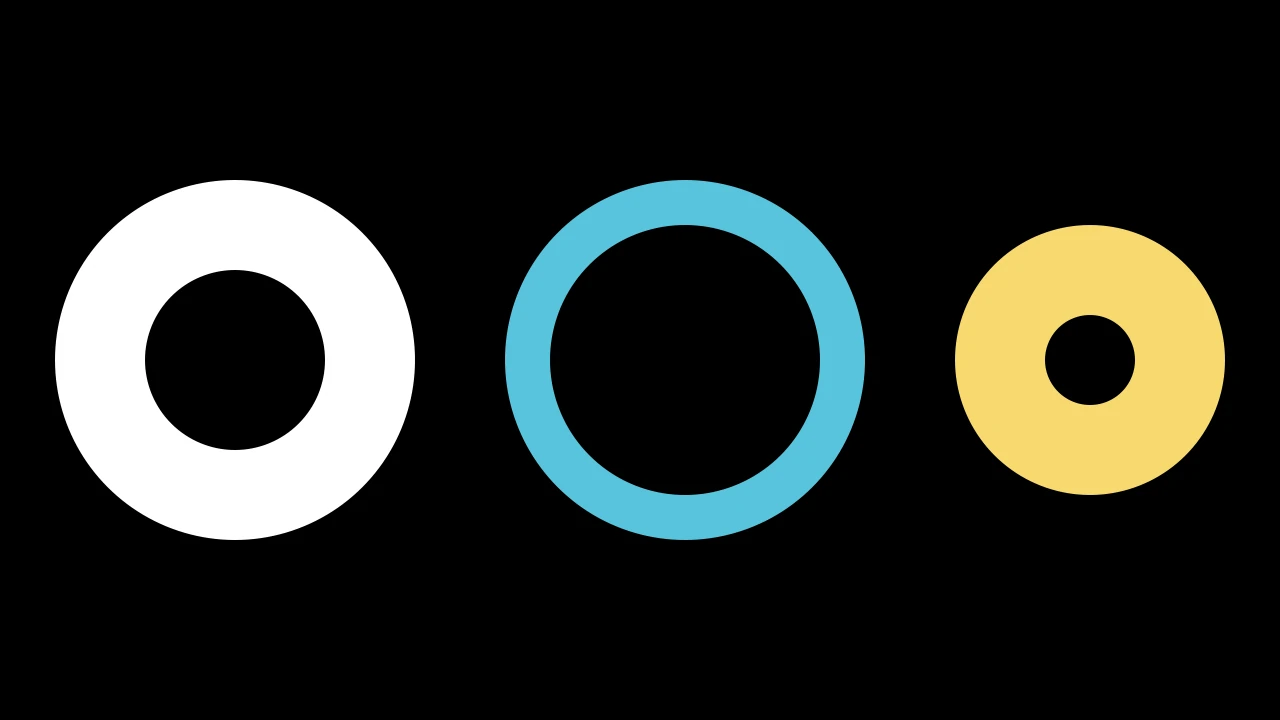
A ring: the region between two circles of one center; white and filled, without an outline, unless styled.
The inner circle runs clockwise, the other way around from the outer one, so it is a hole in the fill.
inner_radiusThe inner circle's radius, in scene units.
outer_radiusThe outer circle's radius, in scene units.
mark_paths_closedAccepted for Manim compatibility; ignored.
num_componentsHow many anchor points the arc is drawn through: it is one fewer cubic Bézier curves (default 9).
arc_centerWhere the center of the arc's circle goes, in scene coordinates (default ORIGIN).
colorThe color of both fill and stroke (default white; a Circle's is red); None for the class's default.
tip_lengthThe length of the tips add_tip makes, in scene units (default 0.35; an Arrow's may be shorter).
normal_vectorThe normal of the plane the path lies in (default OUT). Accepted for Manim compatibility; ignored and not retained.
tip_styleStyle keywords for the tips the path makes (default None: none). A tip's
fill_colorandstroke_colorare the path's color unless given here.fill_colorThe fill's color;
colorif not given. Several colors make a gradient alongsheen_direction.fill_opacityThe fill's opacity, from 0 to 1 (default 0: no fill).
stroke_colorThe stroke's color;
colorif not given. Several colors make a gradient.stroke_opacityThe stroke's opacity, from 0 to 1 (default 1).
stroke_widthThe stroke's width, in hundredths of a scene unit (default 4; 0: no stroke).
background_stroke_colorThe color of an outline drawn behind the fill (default black).
background_stroke_opacityThe outline's opacity, from 0 to 1 (default 1).
background_stroke_widthThe outline's width, in hundredths of a scene unit (default 0: none).
sheen_factorHow much the colors lighten toward
sheen_direction, from -1 to 1 (default 0); a negative factor darkens.sheen_directionThe direction the colors lighten toward (default
UL).joint_typeHow the stroke is joined where its path turns: round, beveled or mitered, as a two-dimensional scene draws it (see LineJointType; default AUTO: mitered).
cap_styleHow the stroke ends, at each end it shows (an open path's, a dash's): round, butt or square, as a two-dimensional scene draws it (see CapStyleType; default AUTO: butt).
shade_in_3dWhether a three-dimensional scene's light shades the mobject.
materialHow its surface reflects the scene's lights in a three-dimensional scene (see Material); None: Manim's shading (default).
nameA name for the mobject; its class's name if not given.
z_indexIts place in the drawing order: a higher index is drawn over a lower one (default 0).
targetThe state
MoveToTargetmoves the mobject to.
Source
src/manimgx/mobjects/shapes.py
AnnularSector 
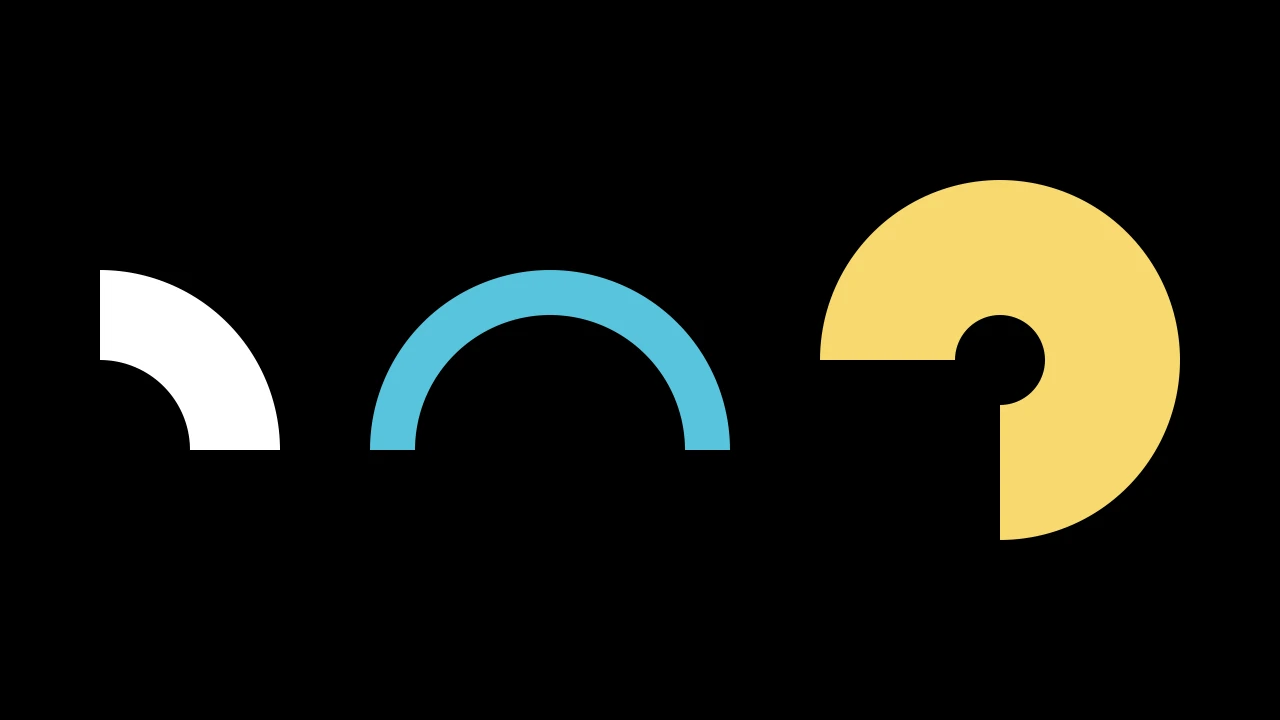
A sector of a ring: the region between two arcs of one center, over one angle; white and filled, without an outline, unless styled.
m.AnnularSector(inner_radius=1, outer_radius=2, angle=TAU / 4, start_angle=0, **kwargs)
inner_radiusThe inner arc's radius, in scene units.
outer_radiusThe outer arc's radius, in scene units.
angleThe angle it spans, in radians: counterclockwise from
start_angle, or clockwise if negative.start_angleThe angle of its first edge, in radians, counterclockwise from the positive x-axis.
num_componentsHow many anchor points the arc is drawn through: it is one fewer cubic Bézier curves (default 9).
arc_centerWhere the center of the arc's circle goes, in scene coordinates (default ORIGIN).
colorThe color of both fill and stroke (default white; a Circle's is red); None for the class's default.
tip_lengthThe length of the tips add_tip makes, in scene units (default 0.35; an Arrow's may be shorter).
normal_vectorThe normal of the plane the path lies in (default OUT). Accepted for Manim compatibility; ignored and not retained.
tip_styleStyle keywords for the tips the path makes (default None: none). A tip's
fill_colorandstroke_colorare the path's color unless given here.fill_colorThe fill's color;
colorif not given. Several colors make a gradient alongsheen_direction.fill_opacityThe fill's opacity, from 0 to 1 (default 0: no fill).
stroke_colorThe stroke's color;
colorif not given. Several colors make a gradient.stroke_opacityThe stroke's opacity, from 0 to 1 (default 1).
stroke_widthThe stroke's width, in hundredths of a scene unit (default 4; 0: no stroke).
background_stroke_colorThe color of an outline drawn behind the fill (default black).
background_stroke_opacityThe outline's opacity, from 0 to 1 (default 1).
background_stroke_widthThe outline's width, in hundredths of a scene unit (default 0: none).
sheen_factorHow much the colors lighten toward
sheen_direction, from -1 to 1 (default 0); a negative factor darkens.sheen_directionThe direction the colors lighten toward (default
UL).joint_typeHow the stroke is joined where its path turns: round, beveled or mitered, as a two-dimensional scene draws it (see LineJointType; default AUTO: mitered).
cap_styleHow the stroke ends, at each end it shows (an open path's, a dash's): round, butt or square, as a two-dimensional scene draws it (see CapStyleType; default AUTO: butt).
shade_in_3dWhether a three-dimensional scene's light shades the mobject.
materialHow its surface reflects the scene's lights in a three-dimensional scene (see Material); None: Manim's shading (default).
nameA name for the mobject; its class's name if not given.
z_indexIts place in the drawing order: a higher index is drawn over a lower one (default 0).
targetThe state
MoveToTargetmoves the mobject to.
Source
src/manimgx/mobjects/shapes.py
Sector 
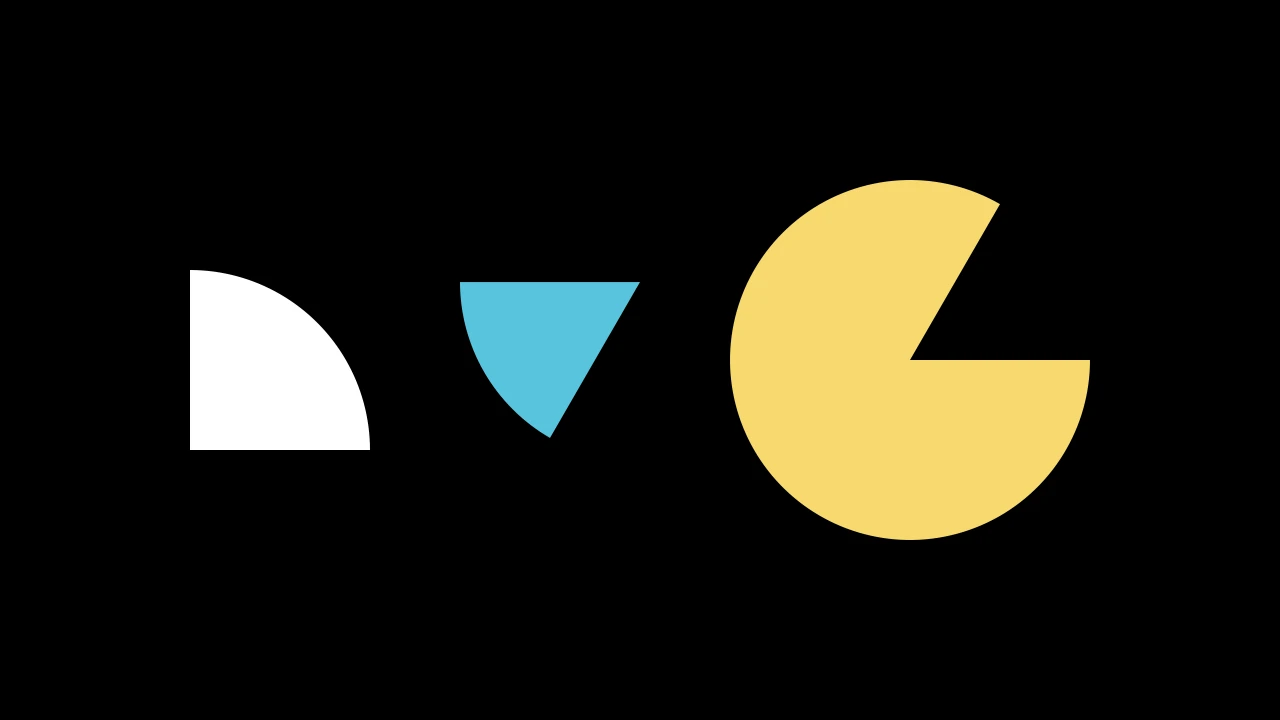
A sector of a disc, a slice of pie: the region between two radii and the arc joining them; white and filled, without an outline, unless styled.
radiusIts radius, in scene units.
angleThe angle the sector spans, in radians: counterclockwise from
start_angle, or clockwise if negative (default TAU / 4: a quarter turn).start_angleThe angle of its first edge, in radians, counterclockwise from the positive x-axis (default 0).
num_componentsHow many anchor points the arc is drawn through: it is one fewer cubic Bézier curves (default 9).
arc_centerWhere the center of the arc's circle goes, in scene coordinates (default ORIGIN).
colorThe color of both fill and stroke (default white; a Circle's is red); None for the class's default.
tip_lengthThe length of the tips add_tip makes, in scene units (default 0.35; an Arrow's may be shorter).
normal_vectorThe normal of the plane the path lies in (default OUT). Accepted for Manim compatibility; ignored and not retained.
tip_styleStyle keywords for the tips the path makes (default None: none). A tip's
fill_colorandstroke_colorare the path's color unless given here.fill_colorThe fill's color;
colorif not given. Several colors make a gradient alongsheen_direction.fill_opacityThe fill's opacity, from 0 to 1 (default 0: no fill).
stroke_colorThe stroke's color;
colorif not given. Several colors make a gradient.stroke_opacityThe stroke's opacity, from 0 to 1 (default 1).
stroke_widthThe stroke's width, in hundredths of a scene unit (default 4; 0: no stroke).
background_stroke_colorThe color of an outline drawn behind the fill (default black).
background_stroke_opacityThe outline's opacity, from 0 to 1 (default 1).
background_stroke_widthThe outline's width, in hundredths of a scene unit (default 0: none).
sheen_factorHow much the colors lighten toward
sheen_direction, from -1 to 1 (default 0); a negative factor darkens.sheen_directionThe direction the colors lighten toward (default
UL).joint_typeHow the stroke is joined where its path turns: round, beveled or mitered, as a two-dimensional scene draws it (see LineJointType; default AUTO: mitered).
cap_styleHow the stroke ends, at each end it shows (an open path's, a dash's): round, butt or square, as a two-dimensional scene draws it (see CapStyleType; default AUTO: butt).
shade_in_3dWhether a three-dimensional scene's light shades the mobject.
materialHow its surface reflects the scene's lights in a three-dimensional scene (see Material); None: Manim's shading (default).
nameA name for the mobject; its class's name if not given.
z_indexIts place in the drawing order: a higher index is drawn over a lower one (default 0).
targetThe state
MoveToTargetmoves the mobject to.
Source
src/manimgx/mobjects/shapes.py