Skip to content

Paths

The film's code
import manimgx as m


class PathsHero(m.Scene):
    def construct(self) -> None:
        path = m.VMobject(color=m.YELLOW, stroke_width=6)
        path.start_new_path([-5, -1, 0])
        path.add_line_to([-3, 2, 0])
        path.add_smooth_curve_to([0, 0, 0])
        path.add_cubic_bezier_curve_to([1, 3, 0], [3, -3, 0], [5, 1, 0])
        anchors = m.VGroup(
            *[m.Dot(point, color=m.BLUE) for point in path.get_anchors()]
        )
        dot = m.Dot(color=m.RED).move_to(path.get_start())
        self.play(m.Create(path), run_time=2)
        self.play(m.FadeIn(anchors))
        self.play(m.MoveAlongPath(dot, path), run_time=2)
        self.wait()

A shape is a path: curves, each from one point to the next. A curve starts at an anchor, bends toward two handles, and ends at the next anchor. The stroke follows the curves, and the fill closes each part of the path back to its start. Circles, polygons, text and graphs are all paths, so all of this works on them too.

To draw a path of your own, make an empty m.VMobject(), then give it its points: as corners, as a smooth curve through them, or one line and curve at a time.

VMobject

Code
import manimgx as m


class VMobjectExample(m.Scene):
    def construct(self) -> None:
        path = m.VMobject(color=m.BLUE, fill_opacity=0.5, stroke_width=8)
        path.set_points_as_corners([[-3, -2, 0], [-3, 2, 0], [0, 2, 0]])
        path.add_cubic_bezier_curve_to([3, 2, 0], [3, -2, 0], [0, -2, 0])
        path.close_path()
        self.play(m.Create(path, run_time=2))

A path: cubic Bézier curves, stroked in white and unfilled unless styled.

Each curve has four control points: it starts at an anchor, bends toward two handles and ends at the next anchor. The path's points are its curves' control points, four by four, and a new subpath starts wherever a curve does not begin where the one before it ends. The stroke follows the curves; the fill closes each subpath with a straight line back to its start, and where subpaths overlap, a point is filled unless their windings around it cancel: a subpath inside another that runs the other way cuts a hole.

Circles, polygons, text and graphs are all paths. A plain VMobject has no points until it is given a shape: set its points as corners, or start it at a point and add lines and curves.

m.VMobject(**kwargs)
color

The color of both fill and stroke (default white); None for the class's default.

fill_color

The fill's color; color if not given. Several colors make a gradient along sheen_direction.

fill_opacity

The fill's opacity, from 0 to 1 (default 0: no fill).

stroke_color

The stroke's color; color if not given. Several colors make a gradient.

stroke_opacity

The stroke's opacity, from 0 to 1 (default 1).

stroke_width

The stroke's width, in hundredths of a scene unit (default 4; 0: no stroke).

background_stroke_color

The color of an outline drawn behind the fill (default black).

background_stroke_opacity

The outline's opacity, from 0 to 1 (default 1).

background_stroke_width

The outline's width, in hundredths of a scene unit (default 0: none).

sheen_factor

How much the colors lighten toward sheen_direction, from -1 to 1 (default 0); a negative factor darkens.

sheen_direction

The direction the colors lighten toward (default UL).

joint_type

How the stroke is joined where its path turns: round, beveled or mitered, as a two-dimensional scene draws it (see LineJointType; default AUTO: mitered).

cap_style

How the stroke ends, at each end it shows (an open path's, a dash's): round, butt or square, as a two-dimensional scene draws it (see CapStyleType; default AUTO: butt).

shade_in_3d

Whether a three-dimensional scene's light shades the mobject.

material

How its surface reflects the scene's lights in a three-dimensional scene (see Material); None: Manim's shading (default).

name

A name for the mobject; its class's name if not given.

z_index

Its place in the drawing order: a higher index is drawn over a lower one (default 0).

target

The state MoveToTarget moves the mobject to.

It also takes the style keywords.

Source

src/manimgx/mobject.py

def __init__(self, **kwargs: Unpack[Style]) -> None:
    if (
        "color" in kwargs and kwargs["color"] is None
    ):  # not given: the class's default
        del kwargs["color"]
    self.style = style_defaults(type(self)) | kwargs
    """Pending constructor style, including the class's defaults. Base color
    initialization consumes this instance entry; current appearance is kept in
    [paint][manimgx.Mobject.paint]. Point clouds retain their defaults for later points."""
    name = self.style.get("name")
    self.name = type(self).__name__ if name is None else name
    """The mobject's name: its class's name, unless it was made with one."""
    self.dim = 3
    """How many coordinates each of its points has: 3."""
    self.target: Mobject | None = self.style.get("target")
    """The state [MoveToTarget][manimgx.MoveToTarget] moves the mobject to: made by
    [generate_target][manimgx.Mobject.generate_target], or given when the mobject
    was made; None if neither."""
    self.z_index = self.style.get("z_index", 0.0)
    """The mobject's place in the drawing order: a higher index is drawn over a
    lower one (default 0); see [set_z_index][manimgx.Mobject.set_z_index]."""
    self.submobjects: list[Mobject] = []
    """The mobject's children, in drawing order: each is drawn over those before it,
    at an equal z-index."""
    self.updaters: list[Updater[Self]] = []
    """The mobject's own updaters, in the order they run; see
    [add_updater][manimgx.Mobject.add_updater]."""
    self.updating_suspended = False
    """Whether the mobject's updaters are suspended; see
    [suspend_updating][manimgx.Mobject.suspend_updating]."""
    self.paint = _UNPAINTED
    """The mobject's own style as it is now, as one value: its colors, opacities,
    stroke widths and sheen. The style methods replace it; it is never changed in
    place."""
    self.reset_points()
    self.generate_points()
    self.init_colors()

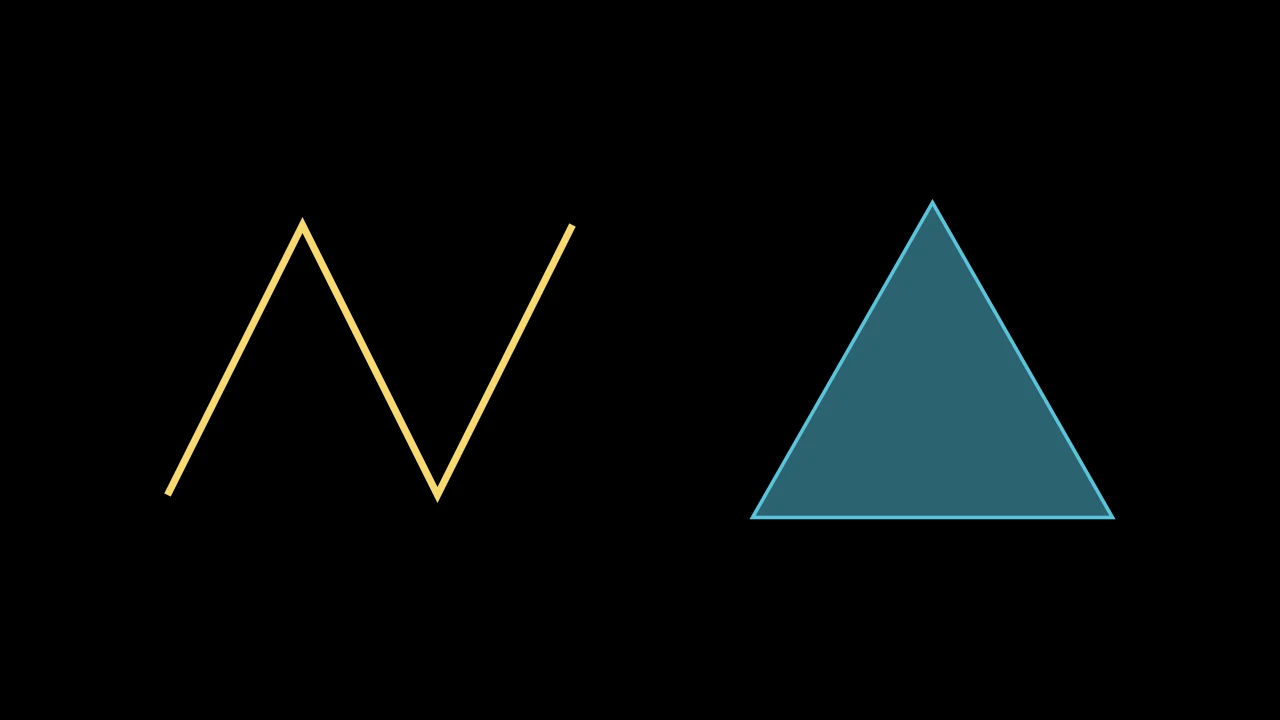
Draw a path

set_points_as_corners

VMobjectSetPointsAsCornersExample
Code
import manimgx as m


class VMobjectSetPointsAsCornersExample(m.Scene):
    def construct(self) -> None:
        zigzag = m.VMobject(color=m.YELLOW, stroke_width=8)
        zigzag.set_points_as_corners(
            [[-3, -1.5, 0], [-1.5, 1.5, 0], [0, -1.5, 0], [1.5, 1.5, 0]]
        )
        triangle = m.VMobject(color=m.BLUE, fill_opacity=0.5)
        triangle.set_points_as_corners(
            [[-2, -1.5, 0], [0, 2, 0], [2, -1.5, 0], [-2, -1.5, 0]]
        )
        self.add(m.VGroup(zigzag, triangle).arrange(buff=2))

Give the path new points, in place of its own: straight lines through the given points in turn.

The path is open: to close it, end with its first point again.

path.set_points_as_corners(points)
points

The corners, in scene coordinates, in order.

Source

src/manimgx/mobject.py

def set_points_as_corners(self, points: Point3DLike_Array) -> Self:
    """Give the path new points, in place of its own: straight lines through the
    given points in turn.

    The path is open: to close it, end with its first point again.

    Args:
        points: The corners, in scene coordinates, in order.

    Examples:
        ```python
        import manimgx as m


        class VMobjectSetPointsAsCornersExample(m.Scene):
            def construct(self) -> None:
                zigzag = m.VMobject(color=m.YELLOW, stroke_width=8)
                zigzag.set_points_as_corners(
                    [[-3, -1.5, 0], [-1.5, 1.5, 0], [0, -1.5, 0], [1.5, 1.5, 0]]
                )
                triangle = m.VMobject(color=m.BLUE, fill_opacity=0.5)
                triangle.set_points_as_corners(
                    [[-2, -1.5, 0], [0, 2, 0], [2, -1.5, 0], [-2, -1.5, 0]]
                )
                self.add(m.VGroup(zigzag, triangle).arrange(buff=2))
        ```
    """
    pts = np.asarray(points, dtype=float)
    if len(pts) == 2:  # a segment: the one segment, placed
        self._geometry = segment(pts[0], pts[1])
        return self
    return self.set_anchors_and_handles(
        *(interpolate(pts[:-1], pts[1:], t) for t in _T_VALUES)
    )

set_points_smoothly

Code
import manimgx as m


class VMobjectSetPointsSmoothlyExample(m.Scene):
    def construct(self) -> None:
        points = [[-5, -1, 0], [-3, 2, 0], [-1, -2, 0], [1, 2, 0]]
        points += [[3, -1, 0], [5, 1, 0]]
        corners = m.VMobject(color=m.GREY).set_points_as_corners(points)
        curve = m.VMobject(color=m.YELLOW, stroke_width=8)
        curve.set_points_smoothly(points)
        self.add(corners, *(m.Dot(p, radius=0.12) for p in points))
        self.play(m.Create(curve, run_time=2))

Give the path new points, in place of its own: a smooth curve through the given points in turn.

The curve passes through each point, bending smoothly there, with no change of curvature (a cubic spline); if the last point is the first, it closes smoothly.

path.set_points_smoothly(points)
points

The points it passes through, in scene coordinates, in order.

Source

src/manimgx/mobject.py

def set_points_smoothly(self, points: Point3DLike_Array) -> Self:
    """Give the path new points, in place of its own: a smooth curve through the
    given points in turn.

    The curve passes through each point, bending smoothly there, with no change of
    curvature (a cubic spline); if the last point is the first, it closes smoothly.

    Args:
        points: The points it passes through, in scene coordinates, in order.

    Examples:
        ```python
        import manimgx as m


        class VMobjectSetPointsSmoothlyExample(m.Scene):
            def construct(self) -> None:
                points = [[-5, -1, 0], [-3, 2, 0], [-1, -2, 0], [1, 2, 0]]
                points += [[3, -1, 0], [5, 1, 0]]
                corners = m.VMobject(color=m.GREY).set_points_as_corners(points)
                curve = m.VMobject(color=m.YELLOW, stroke_width=8)
                curve.set_points_smoothly(points)
                self.add(corners, *(m.Dot(p, radius=0.12) for p in points))
                self.play(m.Create(curve, run_time=2))
        ```
    """
    self.set_points_as_corners(points)
    return self.make_smooth()

start_new_path

Start a new subpath at a point: the next curve added begins there, not where the path ends.

A curve left unfinished (a subpath started and given no curve yet) is completed with copies of its first point, as a curve of no length. Started where the path ends, the subpath just goes on.

path.start_new_path(point)
point

Where the new subpath starts, in scene coordinates.

Source

src/manimgx/mobject.py

def start_new_path(self, point: Point3DLike) -> Self:
    """Start a new subpath at a point: the next curve added begins there, not where
    the path ends.

    A curve left unfinished (a subpath started and given no curve yet) is completed
    with copies of its first point, as a curve of no length. Started where the path
    ends, the subpath just goes on.

    Args:
        point: Where the new subpath starts, in scene coordinates.
    """
    n = self._geometry.n
    if n % _NPPCC != 0:
        last = self._geometry.point(n // _NPPCC * _NPPCC)
        self.append_points([last] * (_NPPCC - n % _NPPCC) + [point])
    else:
        self.append_points([point])
    return self

add_line_to

Code
import manimgx as m


class VMobjectAddLineToExample(m.Scene):
    def construct(self) -> None:
        stairs = m.VMobject(color=m.BLUE, stroke_width=8)
        stairs.start_new_path([-5, -3, 0])
        for _ in range(5):
            stairs.add_line_to(stairs.get_end() + 1.2 * m.UP)
            stairs.add_line_to(stairs.get_end() + 2 * m.RIGHT)
        self.play(m.Create(stairs, run_time=3))

Add a straight line from where the path ends to a point.

The path must have a point to start from.

path.add_line_to(point)
point

Where the line ends, in scene coordinates.

Source

src/manimgx/mobject.py

def add_line_to(self, point: Point3DLike) -> Self:
    """Add a straight line from where the path ends to a point.

    The path must have a point to start from.

    Args:
        point: Where the line ends, in scene coordinates.

    Examples:
        ```python
        import manimgx as m


        class VMobjectAddLineToExample(m.Scene):
            def construct(self) -> None:
                stairs = m.VMobject(color=m.BLUE, stroke_width=8)
                stairs.start_new_path([-5, -3, 0])
                for _ in range(5):
                    stairs.add_line_to(stairs.get_end() + 1.2 * m.UP)
                    stairs.add_line_to(stairs.get_end() + 2 * m.RIGHT)
                self.play(m.Create(stairs, run_time=3))
        ```
    """
    last = self.get_last_point()
    p = np.asarray(point, dtype=float)
    return self.add_cubic_bezier_curve_to(
        *(interpolate(last, p, t) for t in _T_VALUES[1:])
    )

add_points_as_corners

Add straight lines from where the path ends through each point in turn.

The path must have a point to start from.

path.add_points_as_corners(points)
points

The corners, in scene coordinates, in order: the path then ends at the last.

Source

src/manimgx/mobject.py

def add_points_as_corners(self, points: Point3DLike_Array) -> Self:
    """Add straight lines from where the path ends through each point in turn.

    The path must have a point to start from.

    Args:
        points: The corners, in scene coordinates, in order: the path then ends at
            the last.
    """
    self._require_points()
    pts = np.asarray(points, dtype=float).reshape(-1, self.dim)
    if len(pts) == 0:
        return self
    starts = np.vstack([self.points[-1:], pts[:-1]])
    if self.has_new_path_started():
        self.points = self.points[:-1]
    new = np.empty((_NPPCC * len(starts), self.dim))
    for i, t in enumerate(_T_VALUES):
        new[i::_NPPCC] = interpolate(starts, pts, t)
    return self.append_points(new)

add_smooth_curve_to

Code
import manimgx as m


class VMobjectAddSmoothCurveToExample(m.Scene):
    def construct(self) -> None:
        wave = m.VMobject(color=m.YELLOW, stroke_width=8)
        wave.start_new_path([-6, 0, 0])
        wave.add_cubic_bezier_curve_to([-6, 2, 0], [-4, 2, 0], [-4, 0, 0])
        for x in (-2, 0, 2, 4, 6):
            wave.add_smooth_curve_to([x, 0, 0])
        self.play(m.Create(wave, run_time=3))

Add a curve that continues the path smoothly: it leaves where the path ends in the direction the path arrives there.

Its first handle is the path's last handle mirrored through the path's end. Given only the anchor, the curve arrives there as the mirror image of how it leaves (mirrored across the perpendicular bisector of the line between its ends); given a second handle first, it arrives heading away from that. With no curve to continue, after start_new_path, it is a straight line to the anchor.

path.add_smooth_curve_to(*points)
*points

The anchor where the curve ends, or the second handle and then the anchor, in scene coordinates.

Source

src/manimgx/mobject.py

def add_smooth_curve_to(self, *points: Point3DLike) -> Self:
    """Add a curve that continues the path smoothly: it leaves where the path ends
    in the direction the path arrives there.

    Its first handle is the path's last handle mirrored through the path's end.
    Given only the anchor, the curve arrives there as the mirror image of how it
    leaves (mirrored across the perpendicular bisector of the line between its
    ends); given a second handle first, it arrives heading away from that. With no
    curve to continue, after [start_new_path][manimgx.VMobject.start_new_path], it
    is a straight line to the anchor.

    Args:
        *points: The anchor where the curve ends, or the second handle and then the
            anchor, in scene coordinates.

    Examples:
        ```python
        import manimgx as m


        class VMobjectAddSmoothCurveToExample(m.Scene):
            def construct(self) -> None:
                wave = m.VMobject(color=m.YELLOW, stroke_width=8)
                wave.start_new_path([-6, 0, 0])
                wave.add_cubic_bezier_curve_to([-6, 2, 0], [-4, 2, 0], [-4, 0, 0])
                for x in (-2, 0, 2, 4, 6):
                    wave.add_smooth_curve_to([x, 0, 0])
                self.play(m.Create(wave, run_time=3))
        ```
    """
    if len(points) == 1:
        handle2, new_anchor = None, np.asarray(points[0])
    elif len(points) == 2:
        handle2, new_anchor = np.asarray(points[0]), np.asarray(points[1])
    else:
        raise ValueError("Only call add_smooth_curve_to with 1 or 2 points")
    if self.has_new_path_started():
        return self.add_line_to(new_anchor)
    last_h2, last_a2 = self.points[-2:]
    tangent = last_a2 - last_h2
    handle1 = last_a2 + tangent
    if handle2 is None:  # the tangent mirrored across the ends' bisector
        chord = normalize(new_anchor - last_a2)
        handle2 = new_anchor + tangent - 2 * (tangent @ chord) * chord
    return self.append_points([last_a2, handle1, handle2, new_anchor])

add_cubic_bezier_curve_to

Code
import manimgx as m


class VMobjectAddCubicBezierCurveToExample(m.Scene):
    def construct(self) -> None:
        start, h1, h2, end = [-4, -2, 0], [-2, 3, 0], [2, 3, 0], [4, -2, 0]
        path = m.VMobject(color=m.YELLOW, stroke_width=8)
        path.start_new_path(start).add_cubic_bezier_curve_to(h1, h2, end)
        handles = m.VGroup(m.Line(start, h1), m.Line(h2, end))
        dots = [m.Dot(p, radius=0.12) for p in (start, h1, h2, end)]
        self.add(handles.set_color(m.GREY), *dots)
        self.play(m.Create(path, run_time=2))

Add a curve from where the path ends to anchor, bending toward two handles.

The curve leaves the path's last point heading toward handle1, and arrives at anchor heading away from handle2. The path must have a point to start from.

path.add_cubic_bezier_curve_to(handle1, handle2, anchor)
handle1

The first handle, in scene coordinates.

handle2

The second handle.

anchor

Where the curve ends.

Source

src/manimgx/mobject.py

def add_cubic_bezier_curve_to(
    self, handle1: Point3DLike, handle2: Point3DLike, anchor: Point3DLike
) -> Self:
    """Add a curve from where the path ends to `anchor`, bending toward two handles.

    The curve leaves the path's last point heading toward `handle1`, and arrives at
    `anchor` heading away from `handle2`. The path must have a point to start from.

    Args:
        handle1: The first handle, in scene coordinates.
        handle2: The second handle.
        anchor: Where the curve ends.

    Examples:
        ```python
        import manimgx as m


        class VMobjectAddCubicBezierCurveToExample(m.Scene):
            def construct(self) -> None:
                start, h1, h2, end = [-4, -2, 0], [-2, 3, 0], [2, 3, 0], [4, -2, 0]
                path = m.VMobject(color=m.YELLOW, stroke_width=8)
                path.start_new_path(start).add_cubic_bezier_curve_to(h1, h2, end)
                handles = m.VGroup(m.Line(start, h1), m.Line(h2, end))
                dots = [m.Dot(p, radius=0.12) for p in (start, h1, h2, end)]
                self.add(handles.set_color(m.GREY), *dots)
                self.play(m.Create(path, run_time=2))
        ```
    """
    self._require_points()
    new = [handle1, handle2, anchor]
    return self.append_points(
        new if self.has_new_path_started() else [self.get_last_point(), *new]
    )

add_quadratic_bezier_curve_to

Code
import manimgx as m


class VMobjectAddQuadraticBezierCurveToExample(m.Scene):
    def construct(self) -> None:
        start, handle, end = [-4, -2, 0], [0, 3, 0], [4, -2, 0]
        path = m.VMobject(color=m.TEAL, stroke_width=8)
        path.start_new_path(start)
        path.add_quadratic_bezier_curve_to(handle, end)
        handles = m.VGroup(m.Line(start, handle), m.Line(handle, end))
        dots = [m.Dot(p, radius=0.12) for p in (start, handle, end)]
        self.add(handles.set_color(m.GREY), *dots)
        self.play(m.Create(path, run_time=2))

Add a quadratic Bézier curve from where the path ends to anchor, bending toward one handle.

It is added as the cubic curve of the same shape. The path must have a point to start from.

path.add_quadratic_bezier_curve_to(handle, anchor)
handle

The handle, in scene coordinates: the curve leaves the path's last point heading toward it, and arrives at anchor heading away from it.

anchor

Where the curve ends.

Source

src/manimgx/mobject.py

def add_quadratic_bezier_curve_to(
    self, handle: Point3DLike, anchor: Point3DLike
) -> Self:
    """Add a quadratic Bézier curve from where the path ends to `anchor`, bending
    toward one handle.

    It is added as the cubic curve of the same shape. The path must have a point to
    start from.

    Args:
        handle: The handle, in scene coordinates: the curve leaves the path's last
            point heading toward it, and arrives at `anchor` heading away from it.
        anchor: Where the curve ends.

    Examples:
        ```python
        import manimgx as m


        class VMobjectAddQuadraticBezierCurveToExample(m.Scene):
            def construct(self) -> None:
                start, handle, end = [-4, -2, 0], [0, 3, 0], [4, -2, 0]
                path = m.VMobject(color=m.TEAL, stroke_width=8)
                path.start_new_path(start)
                path.add_quadratic_bezier_curve_to(handle, end)
                handles = m.VGroup(m.Line(start, handle), m.Line(handle, end))
                dots = [m.Dot(p, radius=0.12) for p in (start, handle, end)]
                self.add(handles.set_color(m.GREY), *dots)
                self.play(m.Create(path, run_time=2))
        ```
    """
    h, a, last = np.asarray(handle), np.asarray(anchor), self.get_last_point()
    return self.add_cubic_bezier_curve_to(
        2 / 3 * h + 1 / 3 * last, 2 / 3 * h + 1 / 3 * a, a
    )

add_cubic_bezier_curve

Add a curve from anchor1 to anchor2, bending toward two handles: a new subpath, unless anchor1 is where the path ends.

Its four points are appended as they are, so the path's curves must all be whole: after start_new_path, use add_cubic_bezier_curve_to.

path.add_cubic_bezier_curve(anchor1, handle1, handle2, anchor2)
anchor1

Where the curve starts, in scene coordinates.

handle1

The handle it leaves anchor1 heading toward.

handle2

The handle it arrives at anchor2 heading away from.

anchor2

Where it ends.

Source

src/manimgx/mobject.py

def add_cubic_bezier_curve(
    self,
    anchor1: Point3DLike,
    handle1: Point3DLike,
    handle2: Point3DLike,
    anchor2: Point3DLike,
) -> Self:
    """Add a curve from `anchor1` to `anchor2`, bending toward two handles: a new
    subpath, unless `anchor1` is where the path ends.

    Its four points are appended as they are, so the path's curves must all be
    whole: after [start_new_path][manimgx.VMobject.start_new_path], use
    [add_cubic_bezier_curve_to][manimgx.VMobject.add_cubic_bezier_curve_to].

    Args:
        anchor1: Where the curve starts, in scene coordinates.
        handle1: The handle it leaves `anchor1` heading toward.
        handle2: The handle it arrives at `anchor2` heading away from.
        anchor2: Where it ends.
    """
    return self.append_points([anchor1, handle1, handle2, anchor2])

add_cubic_bezier_curves

Add curves after the path's own, given by their control points, four per curve: anchor, handle, handle, anchor.

path.add_cubic_bezier_curves(curves)
curves

The curves' control points, in scene coordinates: an (n, 4, 3) array, or the points one after another.

Source

src/manimgx/mobject.py

def add_cubic_bezier_curves(self, curves: Point3DLike_Array) -> Self:
    """Add curves after the path's own, given by their control points, four per
    curve: anchor, handle, handle, anchor.

    Args:
        curves: The curves' control points, in scene coordinates: an (n, 4, 3)
            array, or the points one after another.
    """
    return self.append_points(np.asarray(curves).reshape(-1, 3))

add_subpath

Add curves after the path's own, by their control points, four per curve: a new subpath, unless they start where the path ends.

path.add_subpath(points)
points

The curves' control points, in scene coordinates.

Source

src/manimgx/mobject.py

def add_subpath(self, points: Point3DLike_Array) -> Self:
    """Add curves after the path's own, by their control points, four per curve: a
    new subpath, unless they start where the path ends.

    Args:
        points: The curves' control points, in scene coordinates.
    """
    return self.append_points(points)

append_vectorized_mobject

Add another path's curves after this path's own: its points, not its submobjects.

A subpath just started and given no curve yet (see start_new_path) is dropped for them.

path.append_vectorized_mobject(vmobject)
vmobject

The path whose points to add.

Source

src/manimgx/mobject.py

def append_vectorized_mobject(self, vmobject: "VMobject") -> Self:
    """Add another path's curves after this path's own: its points, not its
    submobjects.

    A subpath just started and given no curve yet (see
    [start_new_path][manimgx.VMobject.start_new_path]) is dropped for them.

    Args:
        vmobject: The path whose points to add.
    """
    if self.has_new_path_started():  # its start begins the path that was begun
        self.points = self.points[:-1]
    return self.append_points(vmobject.points)

close_path

VMobjectClosePathExample
Code
import manimgx as m


class VMobjectClosePathExample(m.Scene):
    def construct(self) -> None:
        corners = [[-2, -1.5, 0], [0, 1.5, 0], [2, -1.5, 0]]
        style = {"fill_opacity": 0.5, "stroke_width": 8}
        open_path = m.VMobject(color=m.GREEN, **style)
        closed_path = m.VMobject(color=m.YELLOW, **style)
        open_path.set_points_as_corners(corners)
        closed_path.set_points_as_corners(corners).close_path()
        self.add(m.VGroup(open_path, closed_path).arrange(buff=2))

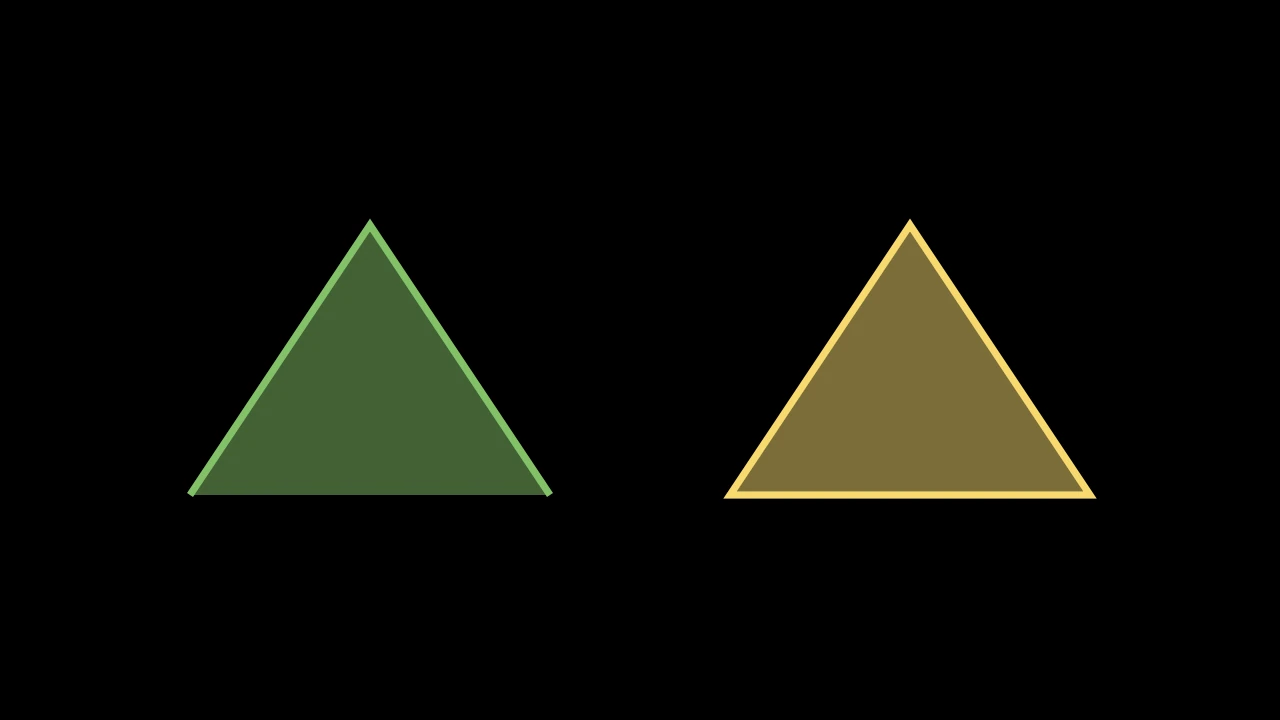
Close the path: add a straight line from where it ends back to where its last subpath starts, unless it ends where it starts.

The fill closes every subpath anyway; closing one makes its stroke go all the way around.

path.close_path()
Source

src/manimgx/mobject.py

def close_path(self) -> Self:
    """Close the path: add a straight line from where it ends back to where its last
    subpath starts, unless it ends where it starts.

    The fill closes every subpath anyway; closing one makes its stroke go all the
    way around.

    Examples:
        ```python
        import manimgx as m


        class VMobjectClosePathExample(m.Scene):
            def construct(self) -> None:
                corners = [[-2, -1.5, 0], [0, 1.5, 0], [2, -1.5, 0]]
                style = {"fill_opacity": 0.5, "stroke_width": 8}
                open_path = m.VMobject(color=m.GREEN, **style)
                closed_path = m.VMobject(color=m.YELLOW, **style)
                open_path.set_points_as_corners(corners)
                closed_path.set_points_as_corners(corners).close_path()
                self.add(m.VGroup(open_path, closed_path).arrange(buff=2))
        ```
    """
    if not self.is_closed():
        self.add_line_to(self.get_subpaths()[-1][0])
    return self

is_closed

Whether the path ends where it starts: its first and last points coincide, within a millionth of a unit.

path.is_closed()
Source

src/manimgx/mobject.py

def is_closed(self) -> bool:
    """Whether the path ends where it starts: its first and last points coincide,
    within a millionth of a unit."""
    return self.consider_points_equals(
        self._geometry.point(0), self._geometry.point(-1)
    )

Smooth or sharp

make_smooth

Code
import manimgx as m


class VMobjectMakeSmoothExample(m.Scene):
    def construct(self) -> None:
        square = m.Square(side_length=4, color=m.BLUE, stroke_width=8)
        self.add(square.copy().set_stroke(m.GREY, 3))
        self.play(square.animate.make_smooth(), run_time=2)

Make every subpath in the family a smooth curve through its anchors, with no change of curvature at any (a cubic spline); a closed subpath closes smoothly.

The anchors stay and the handles move: a polygon becomes a rounded loop through its corners.

path.make_smooth()
Source

src/manimgx/mobject.py

def make_smooth(self) -> Self:
    """Make every subpath in the family a smooth curve through its anchors, with no
    change of curvature at any (a cubic spline); a closed subpath closes smoothly.

    The anchors stay and the handles move: a polygon becomes a rounded loop through
    its corners.

    Examples:
        ```python
        import manimgx as m


        class VMobjectMakeSmoothExample(m.Scene):
            def construct(self) -> None:
                square = m.Square(side_length=4, color=m.BLUE, stroke_width=8)
                self.add(square.copy().set_stroke(m.GREY, 3))
                self.play(square.animate.make_smooth(), run_time=2)
        ```
    """
    return self.change_anchor_mode("smooth")

make_jagged

Make every subpath in the family straight lines between its anchors: a curve through points becomes the polygon through them.

path.make_jagged()
Source

src/manimgx/mobject.py

def make_jagged(self) -> Self:
    """Make every subpath in the family straight lines between its anchors: a curve
    through points becomes the polygon through them.
    """
    return self.change_anchor_mode("jagged")

insert_n_curves

Divide the path's curves into more curves, its shape unchanged.

Each curve is split into equal stretches of its parameter, the new curves spread among the curves as evenly as can be (curve i of m gets the new curves j of n with j·m // n = i): the way a transform gives two paths as many curves as each other.

path.insert_n_curves(n)
n

How many curves to add.

Source

src/manimgx/mobject.py

def insert_n_curves(self, n: int) -> Self:
    """Divide the path's curves into more curves, its shape unchanged.

    Each curve is split into equal stretches of its parameter, the new curves
    spread among the curves as evenly as can be (curve i of m gets the new curves j
    of n with j·m // n = i): the way a transform gives two paths as many curves as
    each other.

    Args:
        n: How many curves to add.
    """
    new_path_point = self.get_last_point() if self.has_new_path_started() else None
    self.set_points(self.insert_n_curves_to_point_list(n, self.points))
    if new_path_point is not None:
        self.append_points([new_path_point])
    return self

Along a path

get_start

The mobject's first point: where a path starts.

Raises an exception if the mobject has no points of its own.

mobject.get_start()

Returns The point, in scene coordinates.

Source

src/manimgx/mobject.py

def get_start(self) -> Point3D:
    """The mobject's first point: where a path starts.

    Raises an exception if the mobject has no points of its own.

    Returns:
        The point, in scene coordinates.
    """
    self._require_points()
    return np.array(self.points[0])

get_end

The mobject's last point: where a path ends.

Raises an exception if the mobject has no points of its own.

mobject.get_end()

Returns The point, in scene coordinates.

Source

src/manimgx/mobject.py

def get_end(self) -> Point3D:
    """The mobject's last point: where a path ends.

    Raises an exception if the mobject has no points of its own.

    Returns:
        The point, in scene coordinates.
    """
    self._require_points()
    return np.array(self.points[-1])

get_midpoint

The point halfway along the mobject: for a path, half its length from its start.

mobject.get_midpoint()

Returns The point, in scene coordinates.

Source

src/manimgx/mobject.py

def get_midpoint(self) -> Point3D:
    """The point halfway along the mobject: for a path, half its length from its
    start.

    Returns:
        The point, in scene coordinates.
    """
    return self.point_from_proportion(0.5)

point_from_proportion

VMobjectPointFromProportionExample
Code
import manimgx as m


class VMobjectPointFromProportionExample(m.Scene):
    def construct(self) -> None:
        points = [[-5, -2, 0], [-2, 2, 0], [1, -1, 0], [5, 2, 0]]
        curve = m.VMobject(color=m.BLUE, stroke_width=6)
        curve.set_points_smoothly(points)
        self.add(curve)
        for alpha in (0, 0.25, 0.5, 0.75, 1):
            point = curve.point_from_proportion(alpha)
            dot = m.Dot(point, radius=0.15, color=m.YELLOW)
            label = m.Text(str(alpha), font_size=32).next_to(dot, m.DOWN)
            self.add(dot, label)

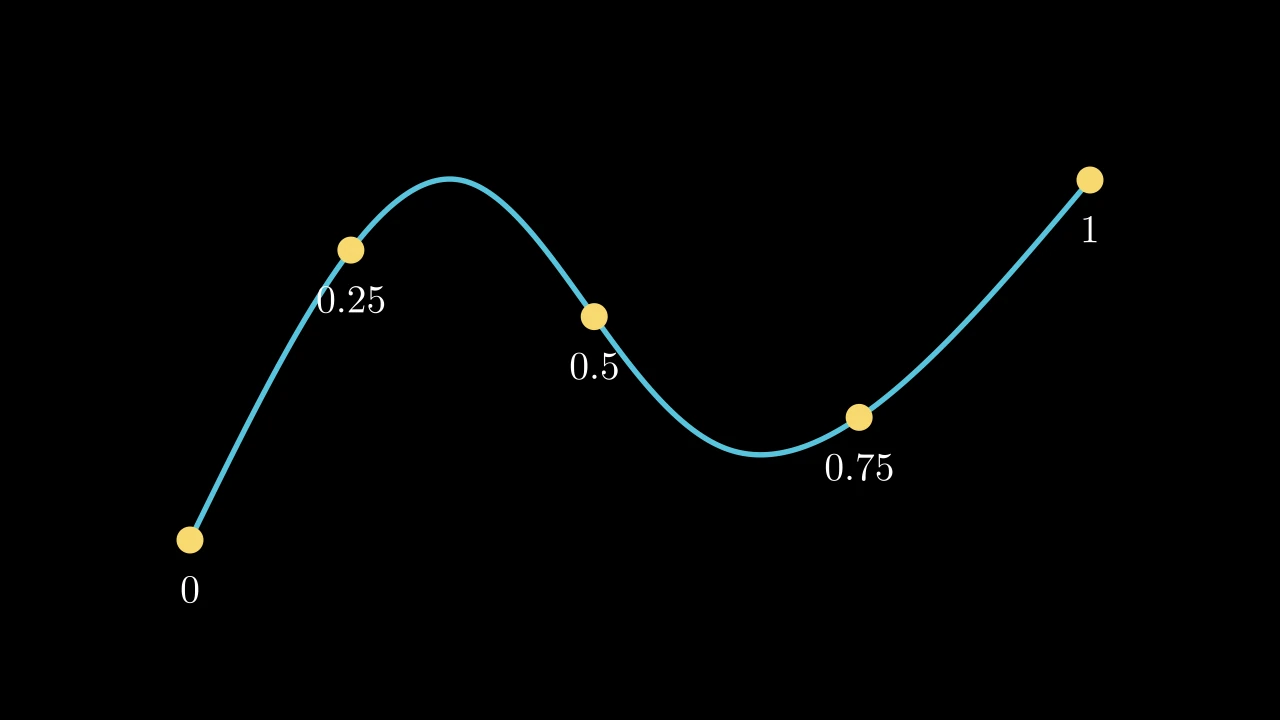
The point a proportion of the way along the path, by length: 0 is its start, 1 its end.

The length is the path's own measure, the one a reveal draws by (nine straight pieces per curve), so it is where a Create at that proportion has drawn to, and a MoveAlongPath moves at a steady speed. Raises an exception if alpha is outside [0, 1] or the path has no points.

path.point_from_proportion(alpha)
alpha

The proportion, from 0 to 1.

Returns The point, in scene coordinates.

Source

src/manimgx/mobject.py

def point_from_proportion(self, alpha: float) -> Point3D:
    """The point a proportion of the way along the path, by length: 0 is its start,
    1 its end.

    The length is the path's own measure, the one a reveal draws by (nine straight
    pieces per curve), so it is where a [Create][manimgx.Create] at that proportion
    has drawn to, and a [MoveAlongPath][manimgx.MoveAlongPath] moves at a steady
    speed. Raises an exception if `alpha` is outside [0, 1] or the path has no
    points.

    Args:
        alpha: The proportion, from 0 to 1.

    Returns:
        The point, in scene coordinates.

    Examples:
        ```python
        import manimgx as m


        class VMobjectPointFromProportionExample(m.Scene):
            def construct(self) -> None:
                points = [[-5, -2, 0], [-2, 2, 0], [1, -1, 0], [5, 2, 0]]
                curve = m.VMobject(color=m.BLUE, stroke_width=6)
                curve.set_points_smoothly(points)
                self.add(curve)
                for alpha in (0, 0.25, 0.5, 0.75, 1):
                    point = curve.point_from_proportion(alpha)
                    dot = m.Dot(point, radius=0.15, color=m.YELLOW)
                    label = m.Text(str(alpha), font_size=32).next_to(dot, m.DOWN)
                    self.add(dot, label)
        ```
    """
    if alpha < 0 or alpha > 1:
        raise ValueError(f"Alpha {alpha} not between 0 and 1.")
    self._require_points()
    curves = self.get_num_curves()
    if curves == 0:  # a point, or a subpath just started
        return self.points[-1]
    at = self._geometry.parameter_at(alpha)
    n = min(int(at), curves - 1)
    return self.get_nth_curve_function(n)(at - n)

proportion_from_point

How far along the path a point on it lies, by length: the inverse of point_from_proportion.

The first curve the point lies on counts. Raises an exception if the point is not on the path.

path.proportion_from_point(point, tolerance=1e-06)
point

The point, in scene coordinates.

tolerance

How near the path the point must be: within 100 times this, in scene units, along each axis.

Returns The proportion, from 0 (the path's start) to 1 (its end).

Source

src/manimgx/mobject.py

def proportion_from_point(
    self, point: Point3DLike, tolerance: float = 1e-6
) -> float:
    """How far along the path a point on it lies, by length: the inverse of
    [point_from_proportion][manimgx.VMobject.point_from_proportion].

    The first curve the point lies on counts. Raises an exception if the point is
    not on the path.

    Args:
        point: The point, in scene coordinates.
        tolerance: How near the path the point must be: within 100 times this, in
            scene units, along each axis.

    Returns:
        The proportion, from 0 (the path's start) to 1 (its end).
    """
    p = np.asarray(point, dtype=float)
    for n in range(self.get_num_curves()):
        curve = self.get_nth_curve_points(n)
        dim = int(
            np.argmax(np.ptp(curve, axis=0))
        )  # solve along the curve's widest coordinate, then check all
        c = [
            curve[0],
            3 * (curve[1] - curve[0]),
            3 * (curve[2] - 2 * curve[1] + curve[0]),
            curve[3] - 3 * curve[2] + 3 * curve[1] - curve[0],
        ]
        coeffs = np.array([ci[dim] for ci in c])
        coeffs[0] -= p[dim]
        roots = [
            r.real
            for r in (
                np.polynomial.Polynomial(coeffs).roots()
                if coeffs[1:].any()
                else [0.0]  # constant along its widest coordinate: a point
            )
            # candidates, each checked below: a double root (a stationary end) comes
            # back as a complex pair with parts near √ε
            if abs(r.imag) < 1e-4 and -1e-4 <= r.real <= 1 + 1e-4
        ]
        hits = [
            t
            for t in roots
            if np.allclose(
                bezier(curve)(min(max(t, 0), 1)), p, atol=tolerance * 100
            )
        ]
        if hits:  # by the path's own measure: the inverse of point_from_proportion
            return self._geometry.fraction_at(n + min(max(max(hits), 0.0), 1.0))
    raise ValueError(f"Point {point} does not lie on this curve.")

get_arc_length

The path's length: the sum of its curves' lengths, each measured along straight pieces between points on it.

path.get_arc_length(sample_points_per_curve=None)
sample_points_per_curve

How many points each curve is measured through, its ends included; None for 10, the path's own measure.

Returns The length, in scene units.

Source

src/manimgx/mobject.py

def get_arc_length(self, sample_points_per_curve: int | None = None) -> float:
    """The path's length: the sum of its curves' lengths, each measured along
    straight pieces between points on it.

    Args:
        sample_points_per_curve: How many points each curve is measured through, its
            ends included; None for 10, the path's own measure.

    Returns:
        The length, in scene units.
    """
    if sample_points_per_curve in (None, 10):
        return float(self._geometry.curve_lengths().sum())
    return sum(
        length
        for _, length in self.get_curve_functions_with_lengths(
            sample_points_per_curve
        )
    )

get_subcurve

Code
import manimgx as m


class VMobjectGetSubcurveExample(m.Scene):
    def construct(self) -> None:
        circle = m.Circle(radius=2.5, color=m.GREY)
        half = circle.get_subcurve(0.25, 0.75).set_stroke(m.YELLOW, 12)
        self.add(circle)
        self.play(m.Create(half))

A copy of the path cut down to its part from proportion a of the way along it to proportion b.

The proportions go by the path's curves, each an equal share whatever its length, and along each curve by its parameter (point_from_proportion goes by length). The copy's submobjects are copied whole.

path.get_subcurve(a, b)
a

Where the part starts, from 0 to 1.

b

Where it ends, from a to 1.

Returns A new path.

Source

src/manimgx/mobject.py

def get_subcurve(self, a: float, b: float) -> Self:
    """A copy of the path cut down to its part from proportion `a` of the way along
    it to proportion `b`.

    The proportions go by the path's curves, each an equal share whatever its
    length, and along each curve by its parameter
    ([point_from_proportion][manimgx.VMobject.point_from_proportion] goes by
    length). The copy's submobjects are copied whole.

    Args:
        a: Where the part starts, from 0 to 1.
        b: Where it ends, from `a` to 1.

    Returns:
        A new path.

    Examples:
        ```python
        import manimgx as m


        class VMobjectGetSubcurveExample(m.Scene):
            def construct(self) -> None:
                circle = m.Circle(radius=2.5, color=m.GREY)
                half = circle.get_subcurve(0.25, 0.75).set_stroke(m.YELLOW, 12)
                self.add(circle)
                self.play(m.Create(half))
        ```
    """
    return self.copy().pointwise_become_partial(self, a, b)

Which way it runs

get_direction

Which way the path turns: "CW" (clockwise) or "CCW" (counterclockwise), by the sign of the area its curves' start anchors enclose.

path.get_direction()

Returns "CW" or "CCW".

Source

src/manimgx/mobject.py

def get_direction(self) -> str:
    """Which way the path turns: "CW" (clockwise) or "CCW" (counterclockwise), by
    the sign of the area its curves' start anchors enclose.

    Returns:
        "CW" or "CCW".
    """
    return shoelace_direction(self.get_start_anchors())

reverse_direction

VMobjectReverseDirectionExample
Code
import manimgx as m


class VMobjectReverseDirectionExample(m.Scene):
    def construct(self) -> None:
        outer, inner = m.Square(side_length=4), m.Square(side_length=2)
        same = m.VMobject(color=m.BLUE, fill_opacity=0.8)
        same.append_vectorized_mobject(outer)
        same.append_vectorized_mobject(inner)
        opposite = m.VMobject(color=m.YELLOW, fill_opacity=0.8)
        opposite.append_vectorized_mobject(outer)
        opposite.append_vectorized_mobject(inner.reverse_direction())
        self.add(m.VGroup(same, opposite).arrange(buff=2))

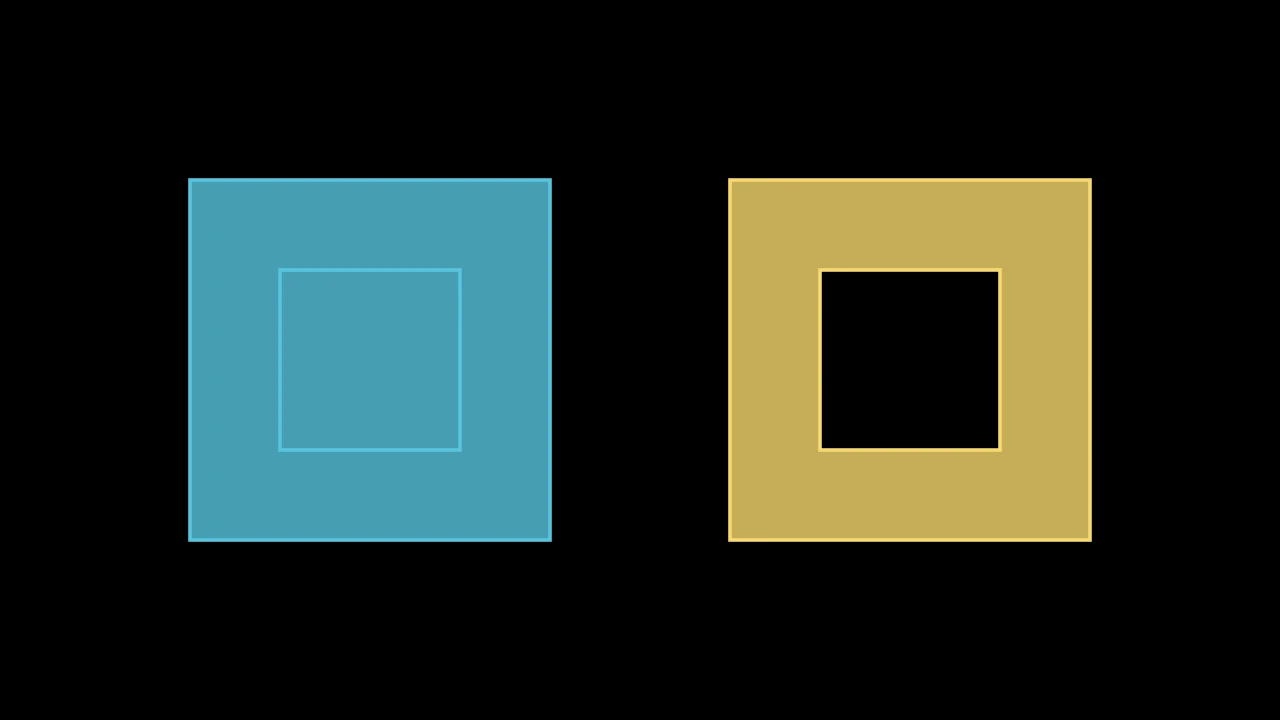
Reverse the order of the path's own points, so it runs the other way: from its end to its start.

Its submobjects stay as they are. A drawing animation then draws it the other way, and a subpath inside another cuts a hole in the fill only if the two run opposite ways.

path.reverse_direction()
Source

src/manimgx/mobject.py

def reverse_direction(self) -> Self:
    """Reverse the order of the path's own points, so it runs the other way: from
    its end to its start.

    Its submobjects stay as they are. A drawing animation then draws it the other
    way, and a subpath inside another cuts
    a hole in the fill only if the two run opposite ways.

    Examples:
        ```python
        import manimgx as m


        class VMobjectReverseDirectionExample(m.Scene):
            def construct(self) -> None:
                outer, inner = m.Square(side_length=4), m.Square(side_length=2)
                same = m.VMobject(color=m.BLUE, fill_opacity=0.8)
                same.append_vectorized_mobject(outer)
                same.append_vectorized_mobject(inner)
                opposite = m.VMobject(color=m.YELLOW, fill_opacity=0.8)
                opposite.append_vectorized_mobject(outer)
                opposite.append_vectorized_mobject(inner.reverse_direction())
                self.add(m.VGroup(same, opposite).arrange(buff=2))
        ```
    """
    self.points = self.points[::-1].copy()
    return self

force_direction

Make the path run clockwise or counterclockwise: reverse it if it runs the other way (see get_direction).

path.force_direction(target_direction)
target_direction

"CW" for clockwise, "CCW" for counterclockwise.

Source

src/manimgx/mobject.py

def force_direction(self, target_direction: Literal["CW", "CCW"]) -> Self:
    """Make the path run clockwise or counterclockwise: reverse it if it runs the
    other way (see [get_direction][manimgx.VMobject.get_direction]).

    Args:
        target_direction: "CW" for clockwise, "CCW" for counterclockwise.
    """
    if self.get_direction() != target_direction:
        self.reverse_direction()
    return self

Its points

points

The mobject's own points, in scene coordinates: an (n, 3) array, read-only.

A path's are the control points of its cubic Bézier curves, four per curve. Assign an array to reshape the mobject; its submobjects keep theirs. Assigning the points it has changes nothing (it keeps its geometry, and all that was derived from it), unless they are a blend of shapes, as mid-morph, which become one; assigning them with more after them grows it.

mobject.points
Source

src/manimgx/mobject.py

def points(self) -> Point3D_Array:
    """The mobject's own points, in scene coordinates: an (n, 3) array, read-only.

    A path's are the control points of its cubic Bézier curves, four per curve.
    Assign an array to reshape the mobject; its submobjects keep theirs. Assigning the
    points it has changes nothing (it keeps its geometry, and all that was derived from
    it), unless they are a blend of shapes, as mid-morph, which become one; assigning
    them with more after them grows it.
    """
    # the geometry blend, materialized (cached, hence read-only)
    return self._geometry.points()

set_points

Give the mobject new points of its own, in place of its present ones.

mobject.set_points(points)
points

The points, in scene coordinates: an (n, 3) array.

Source

src/manimgx/mobject.py

def set_points(self, points: Point3DLike_Array) -> Self:
    """Give the mobject new points of its own, in place of its present ones.

    Args:
        points: The points, in scene coordinates: an (n, 3) array.
    """
    self.points = np.array(points, dtype=float)
    return self

reset_points

Remove the mobject's own points; its submobjects keep theirs.

mobject.reset_points()
Source

src/manimgx/mobject.py

def reset_points(self) -> Self:
    """Remove the mobject's own points; its submobjects keep theirs."""
    self._geometry: Blend = EMPTY
    return self

has_points

Whether the mobject has points of its own (a group has none: its members do).

mobject.has_points()
Source

src/manimgx/mobject.py

def has_points(self) -> bool:
    """Whether the mobject has points of its own (a group has none: its members do)."""
    return self._geometry.n > 0

append_points

Add control points after the path's own: taken four by four, the path's points are its curves.

path.append_points(new_points)
new_points

The points, in scene coordinates: an (n, 3) array.

Source

src/manimgx/mobject.py

def append_points(self, new_points: Point3DLike_Array) -> Self:
    """Add control points after the path's own: taken four by four, the path's
    points are its curves.

    Args:
        new_points: The points, in scene coordinates: an (n, 3) array.
    """
    # the path grows in place (its shape is a prefix of an append-only log), so a
    # traced path grows by what it gains, not by a copy of all it has
    rows = np.asarray(new_points, dtype=float).reshape(-1, self.dim)
    g = self._geometry
    if len(g.terms) == 1 and np.array_equal(g.terms[0][0][:, :3], np.eye(3)):
        m, shape = g.terms[0]
        self._geometry = Blend(
            ((m, shape.extended(rows - m[:, 3])),), g.n + len(rows)
        )
        return self
    self.points = np.concatenate([self.points, rows])
    return self

get_anchors

The path's anchors, curve by curve: each curve's start, then its end, so an anchor two curves share is listed twice.

path.get_anchors()

Returns An array of points, in scene coordinates; for a path of one point, that point.

Source

src/manimgx/mobject.py

def get_anchors(self) -> Point3D_Array:
    """The path's anchors, curve by curve: each curve's start, then its end, so an
    anchor two curves share is listed twice.

    Returns:
        An array of points, in scene coordinates; for a path of one point, that
        point.
    """
    if self.points.shape[0] == 1:
        return self.points
    s, e = self.get_start_anchors(), self.get_end_anchors()
    out = np.empty((len(s) + len(e), self.dim))
    out[0::2], out[1::2] = s, e
    return out

get_subpaths

The path's subpaths: a subpath starts wherever a curve does not begin where the one before it ends.

path.get_subpaths()

Returns The subpaths, each an array of its control points, four per curve.

Source

src/manimgx/mobject.py

def get_subpaths(self) -> list[Point3D_Array]:
    """The path's subpaths: a subpath starts wherever a curve does not begin where
    the one before it ends.

    Returns:
        The subpaths, each an array of its control points, four per curve.
    """
    return self.get_subpaths_from_points(self.points)

get_num_curves

How many curves the path has: its points, four per curve.

path.get_num_curves()

Returns The number of curves.

Source

src/manimgx/mobject.py

def get_num_curves(self) -> int:
    """How many curves the path has: its points, four per curve.

    Returns:
        The number of curves.
    """
    return self._geometry.n // _NPPCC

bezier

A cubic Bézier curve as a function: from its first control point at 0 to its last at 1.

m.bezier(points)
points

Its four control points: anchor, handle, handle, anchor.

Returns A function of the curve's parameter, from 0 to 1, giving its point there.

Source

src/manimgx/drawing/geometry.py

def bezier(points: Point3D_Array) -> Callable[[float], Point3D]:
    """A cubic Bézier curve as a function: from its first control point at 0 to its last
    at 1.

    Args:
        points: Its four control points: anchor, handle, handle, anchor.

    Returns:
        A function of the curve's parameter, from 0 to 1, giving its point there.
    """
    P = np.asarray(points)

    def cubic(t: float) -> Point3D:
        mt = 1 - t
        return mt**3 * P[0] + 3 * t * mt**2 * P[1] + 3 * t**2 * mt * P[2] + t**3 * P[3]

    return cubic

Paths made from paths

CubicBezier

Code
import manimgx as m


class CubicBezierExample(m.Scene):
    def construct(self) -> None:
        start, end = [-5, -2, 0], [5, -2, 0]
        handle1, handle2 = [-3, 3, 0], [6, 3, 0]
        curve = m.CubicBezier(start, handle1, handle2, end, color=m.YELLOW)
        levers = m.VGroup(m.Line(start, handle1), m.Line(end, handle2))
        levers.set_stroke(m.GREY, width=2)
        anchors = m.VGroup(m.Dot(start), m.Dot(end)).set_color(m.BLUE)
        handles = m.VGroup(m.Dot(handle1), m.Dot(handle2)).set_color(m.RED)
        self.add(levers, anchors, handles)
        self.play(m.Create(curve, run_time=2))

A cubic Bézier curve: from one anchor to another, pulled toward two handles; white unless styled.

The curve leaves its start heading toward start_handle and comes into its end from the direction of end_handle; the farther a handle, the longer the curve keeps to its direction. It passes through neither handle.

m.CubicBezier(start_anchor, start_handle, end_handle, end_anchor, **kwargs)
start_anchor

Where the curve starts.

start_handle

The handle of its start.

end_handle

The handle of its end.

end_anchor

Where the curve ends.

color

The color of both fill and stroke (default white); None for the class's default.

fill_color

The fill's color; color if not given. Several colors make a gradient along sheen_direction.

fill_opacity

The fill's opacity, from 0 to 1 (default 0: no fill).

stroke_color

The stroke's color; color if not given. Several colors make a gradient.

stroke_opacity

The stroke's opacity, from 0 to 1 (default 1).

stroke_width

The stroke's width, in hundredths of a scene unit (default 4; 0: no stroke).

background_stroke_color

The color of an outline drawn behind the fill (default black).

background_stroke_opacity

The outline's opacity, from 0 to 1 (default 1).

background_stroke_width

The outline's width, in hundredths of a scene unit (default 0: none).

sheen_factor

How much the colors lighten toward sheen_direction, from -1 to 1 (default 0); a negative factor darkens.

sheen_direction

The direction the colors lighten toward (default UL).

joint_type

How the stroke is joined where its path turns: round, beveled or mitered, as a two-dimensional scene draws it (see LineJointType; default AUTO: mitered).

cap_style

How the stroke ends, at each end it shows (an open path's, a dash's): round, butt or square, as a two-dimensional scene draws it (see CapStyleType; default AUTO: butt).

shade_in_3d

Whether a three-dimensional scene's light shades the mobject.

material

How its surface reflects the scene's lights in a three-dimensional scene (see Material); None: Manim's shading (default).

name

A name for the mobject; its class's name if not given.

z_index

Its place in the drawing order: a higher index is drawn over a lower one (default 0).

target

The state MoveToTarget moves the mobject to.

It also takes the style keywords.

Source

src/manimgx/mobjects/shapes.py

def __init__(
    self,
    start_anchor: Point3DLike,
    start_handle: Point3DLike,
    end_handle: Point3DLike,
    end_anchor: Point3DLike,
    **kwargs: Unpack[Style],
) -> None:
    super().__init__(**kwargs)
    self.add_cubic_bezier_curve(start_anchor, start_handle, end_handle, end_anchor)

DashedVMobject

Code
import manimgx as m


class DashedVMobjectExample(m.Scene):
    def construct(self) -> None:
        circle = m.Circle(radius=1.5, color=m.BLUE, stroke_width=6)
        square = m.Square(side_length=3, color=m.GREEN, stroke_width=6)
        arc = m.Arc(radius=2, angle=m.PI, color=m.YELLOW, stroke_width=6)
        shapes = m.VGroup(
            m.DashedVMobject(circle, num_dashes=12),
            m.DashedVMobject(square, num_dashes=16, dashed_ratio=0.7),
            m.DashedVMobject(arc, num_dashes=7, dashed_ratio=0.3),
        ).arrange(buff=1)
        self.play(m.Create(shapes, run_time=2))

A path drawn in dashes: evenly spaced dashes along another path, in its style.

An open path starts and ends with a dash; a closed one has as many gaps as dashes, all the way around. Each dash ends as the path's cap_style says, and an arrow's tips are drawn whole.

m.DashedVMobject(vmobject, num_dashes=15, dashed_ratio=0.5, dash_offset=0, equal_lengths=True, **kwargs)
vmobject

The path to draw in dashes.

num_dashes

How many dashes; 0 draws none.

dashed_ratio

The fraction of the path the dashes cover, from 0 to 1; the gaps take the rest.

dash_offset

How far the dashes are moved along the path, toward its end, as a fraction of a dash and the gap after it.

equal_lengths

Whether the dashes are equally long; if False they are equal stretches of the path's parameter, longer where the path runs faster.

color

The color of both fill and stroke (default white); None for the class's default.

fill_color

The fill's color; color if not given. Several colors make a gradient along sheen_direction.

fill_opacity

The fill's opacity, from 0 to 1 (default 0: no fill).

stroke_color

The stroke's color; color if not given. Several colors make a gradient.

stroke_opacity

The stroke's opacity, from 0 to 1 (default 1).

stroke_width

The stroke's width, in hundredths of a scene unit (default 4; 0: no stroke).

background_stroke_color

The color of an outline drawn behind the fill (default black).

background_stroke_opacity

The outline's opacity, from 0 to 1 (default 1).

background_stroke_width

The outline's width, in hundredths of a scene unit (default 0: none).

sheen_factor

How much the colors lighten toward sheen_direction, from -1 to 1 (default 0); a negative factor darkens.

sheen_direction

The direction the colors lighten toward (default UL).

joint_type

How the stroke is joined where its path turns: round, beveled or mitered, as a two-dimensional scene draws it (see LineJointType; default AUTO: mitered).

cap_style

How the stroke ends, at each end it shows (an open path's, a dash's): round, butt or square, as a two-dimensional scene draws it (see CapStyleType; default AUTO: butt).

shade_in_3d

Whether a three-dimensional scene's light shades the mobject.

material

How its surface reflects the scene's lights in a three-dimensional scene (see Material); None: Manim's shading (default).

name

A name for the mobject; its class's name if not given.

z_index

Its place in the drawing order: a higher index is drawn over a lower one (default 0).

target

The state MoveToTarget moves the mobject to.

It also takes the style keywords.

Source

src/manimgx/mobjects/shapes.py

def __init__(
    self,
    vmobject: VMobject,
    num_dashes: int = 15,
    dashed_ratio: float = 0.5,
    dash_offset: float = 0,
    equal_lengths: bool = True,
    **kwargs: Unpack[Style],
) -> None:
    self.dashed_ratio = dashed_ratio
    self.num_dashes = num_dashes
    super().__init__(**kwargs)
    base = vmobject

    tips = base.get_tips().submobjects if isinstance(base, TipableVMobject) else []
    whole = all(any(m is t for t in tips) for m in base.submobjects)
    # the path itself, drawn in dashes (a window over it; its tips drawn whole)
    if (
        num_dashes > 0
        and whole
        and base.has_points()
        and (not equal_lengths or _even(base))
    ):
        self._geometry = base._geometry
        self.match_style(base, family=False)
        self.paint = self.paint.but(
            dash=dash_pattern(
                num_dashes, dashed_ratio, dash_offset, base.is_closed()
            )
        )
        self.add(*(tip.copy() for tip in tips))
        return
    vmobject = base.copy()

    tips = vmobject.pop_tips() if isinstance(vmobject, TipableVMobject) else None
    r, n = dashed_ratio, num_dashes
    if n > 0:
        closed = vmobject.is_closed()
        dash_len = r / n
        void_len = (
            (1 - r) / n if closed else (1 - r if n == 1 else (1 - r) / (n - 1))
        )
        period = dash_len + void_len
        phase = dash_offset % 1 * period
        pattern_len = 1 if closed else 1 + void_len
        starts = [(i * period + phase) % pattern_len for i in range(n)]
        ends = [(i * period + dash_len + phase) % pattern_len for i in range(n)]
        if not closed:
            if ends[-1] > 1 and starts[-1] > 1:
                ends.pop()
                starts.pop()
            elif ends[-1] < dash_len:
                if starts[-1] < 1:
                    starts.append(0)
                    ends.append(ends[-1])
                    ends[-2] = 1
                else:
                    starts[-1] = 0
            elif starts[-1] > 1 - dash_len:
                ends[-1] = 1
        if equal_lengths:
            lengths = np.cumsum(
                np.r_[0.0, vmobject._geometry.piece_lengths().ravel()]
            )
            refs = np.linspace(0, 1, lengths.size)
            total = lengths[-1]
            self.add(
                *(
                    vmobject.get_subcurve(
                        np.interp(s * total, lengths, refs),
                        np.interp(e * total, lengths, refs),
                    )
                    for s, e in zip(starts, ends, strict=True)
                )
            )
        else:
            self.add(
                *(
                    vmobject.get_subcurve(s, e)
                    for s, e in zip(starts, ends, strict=True)
                )
            )
    self.match_style(base, family=False)
    if tips is not None and tips.submobjects:
        self.add(*tips.submobjects)

CurvesAsSubmobjects

Code
import numpy as np

import manimgx as m


class CurvesAsSubmobjectsExample(m.Scene):
    def construct(self) -> None:
        curve = m.ParametricFunction(
            lambda t: [2 * t, 2 * np.sin(t), 0], t_range=(-3, 3, 0.1)
        )
        parts = m.CurvesAsSubmobjects(curve.set_stroke(width=12))
        parts.set_color_by_gradient(m.BLUE, m.YELLOW, m.RED)
        self.play(m.Create(parts, run_time=2))

A path split into its curves: a group of one path per curve, each styled as the path is.

Each part can then be styled or animated on its own: a gradient across the parts colors the path along its length. Only the path's own curves are taken, not its submobjects'.

m.CurvesAsSubmobjects(vmobject, **kwargs)
vmobject

The path to split.

color

The color of both fill and stroke (default white); None for the class's default.

fill_color

The fill's color; color if not given. Several colors make a gradient along sheen_direction.

fill_opacity

The fill's opacity, from 0 to 1 (default 0: no fill).

stroke_color

The stroke's color; color if not given. Several colors make a gradient.

stroke_opacity

The stroke's opacity, from 0 to 1 (default 1).

stroke_width

The stroke's width, in hundredths of a scene unit (default 4; 0: no stroke).

background_stroke_color

The color of an outline drawn behind the fill (default black).

background_stroke_opacity

The outline's opacity, from 0 to 1 (default 1).

background_stroke_width

The outline's width, in hundredths of a scene unit (default 0: none).

sheen_factor

How much the colors lighten toward sheen_direction, from -1 to 1 (default 0); a negative factor darkens.

sheen_direction

The direction the colors lighten toward (default UL).

joint_type

How the stroke is joined where its path turns: round, beveled or mitered, as a two-dimensional scene draws it (see LineJointType; default AUTO: mitered).

cap_style

How the stroke ends, at each end it shows (an open path's, a dash's): round, butt or square, as a two-dimensional scene draws it (see CapStyleType; default AUTO: butt).

shade_in_3d

Whether a three-dimensional scene's light shades the mobject.

material

How its surface reflects the scene's lights in a three-dimensional scene (see Material); None: Manim's shading (default).

name

A name for the mobject; its class's name if not given.

z_index

Its place in the drawing order: a higher index is drawn over a lower one (default 0).

target

The state MoveToTarget moves the mobject to.

It also takes the style keywords.

Source

src/manimgx/mobjects/shapes.py

def __init__(self, vmobject: VMobject, **kwargs: Unpack[Style]) -> None:
    super().__init__(**kwargs)
    for tup in vmobject.get_cubic_bezier_tuples():
        part = VMobject()
        part.set_points(tup)
        part.match_style(vmobject)
        self.add(part)

VectorizedPoint

Code
import manimgx as m


class VectorizedPointExample(m.Scene):
    def construct(self) -> None:
        point = m.VectorizedPoint(4 * m.LEFT)
        square = m.Square(side_length=3, color=m.BLUE, fill_opacity=0.5)
        self.play(m.ReplacementTransform(point, square.shift(2 * m.RIGHT)))

A path of one point: unseen, a place to put things by, or to grow them from.

It is black, with no stroke and no fill. Its width and height are numbers of its own, not measured from its point.

m.VectorizedPoint(location=ORIGIN, artificial_width=0.01, artificial_height=0.01, **kwargs)
location

Where the point is, in scene coordinates.

artificial_width

The width it reports, in scene units.

artificial_height

The height it reports, in scene units.

color

The color of both fill and stroke (default white); None for the class's default.

fill_color

The fill's color; color if not given. Several colors make a gradient along sheen_direction.

fill_opacity

The fill's opacity, from 0 to 1 (default 0: no fill).

stroke_color

The stroke's color; color if not given. Several colors make a gradient.

stroke_opacity

The stroke's opacity, from 0 to 1 (default 1).

stroke_width

The stroke's width, in hundredths of a scene unit (default 4; 0: no stroke).

background_stroke_color

The color of an outline drawn behind the fill (default black).

background_stroke_opacity

The outline's opacity, from 0 to 1 (default 1).

background_stroke_width

The outline's width, in hundredths of a scene unit (default 0: none).

sheen_factor

How much the colors lighten toward sheen_direction, from -1 to 1 (default 0); a negative factor darkens.

sheen_direction

The direction the colors lighten toward (default UL).

joint_type

How the stroke is joined where its path turns: round, beveled or mitered, as a two-dimensional scene draws it (see LineJointType; default AUTO: mitered).

cap_style

How the stroke ends, at each end it shows (an open path's, a dash's): round, butt or square, as a two-dimensional scene draws it (see CapStyleType; default AUTO: butt).

shade_in_3d

Whether a three-dimensional scene's light shades the mobject.

material

How its surface reflects the scene's lights in a three-dimensional scene (see Material); None: Manim's shading (default).

name

A name for the mobject; its class's name if not given.

z_index

Its place in the drawing order: a higher index is drawn over a lower one (default 0).

target

The state MoveToTarget moves the mobject to.

It also takes the style keywords.

Source

src/manimgx/mobject.py

def __init__(
    self,
    location: Point3DLike = ORIGIN,
    artificial_width: float = 0.01,
    artificial_height: float = 0.01,
    **kwargs: Unpack[Style],
) -> None:
    self.artificial_width = artificial_width
    self.artificial_height = artificial_height
    super().__init__(**kwargs)
    self.set_points(np.array([location], dtype=float))

width

The point's width, in scene units: its artificial_width, not measured. Setting it changes that number and nothing else.

vectorized_point.width
Source

src/manimgx/mobject.py

def width(self) -> float:
    """The point's width, in scene units: its `artificial_width`, not measured.
    Setting it changes that number and nothing else."""
    return self.artificial_width

height

The point's height, in scene units: its artificial_height, not measured. Setting it changes that number and nothing else.

vectorized_point.height
Source

src/manimgx/mobject.py

def height(self) -> float:
    """The point's height, in scene units: its `artificial_height`, not measured.
    Setting it changes that number and nothing else."""
    return self.artificial_height