Point clouds
The film's code
import manimgx as m
import numpy as np


class PointCloudsHero(m.Scene):
    def construct(self) -> None:
        rng = np.random.default_rng(3)
        angles = rng.uniform(0, 2 * np.pi, 2000)
        radii = 3 * np.sqrt(rng.uniform(0, 1, 2000))
        points = np.stack(
            [radii * np.cos(angles), radii * np.sin(angles), np.zeros(2000)], axis=1
        )
        rgbas = np.array(
            [m.interpolate_color(m.BLUE, m.YELLOW, r / 3).to_rgba() for r in radii]
        )
        cloud = m.PMobject(stroke_width=6).add_points(points, rgbas)
        self.play(m.FadeIn(cloud))
        self.play(m.Rotate(cloud, m.PI / 2), run_time=2)
        self.wait()
A point cloud is a mobject drawn as points: each point a dot of its own color, as wide as the cloud's stroke. Clouds suit what is many and small: dust, stars, samples.
PMobject 
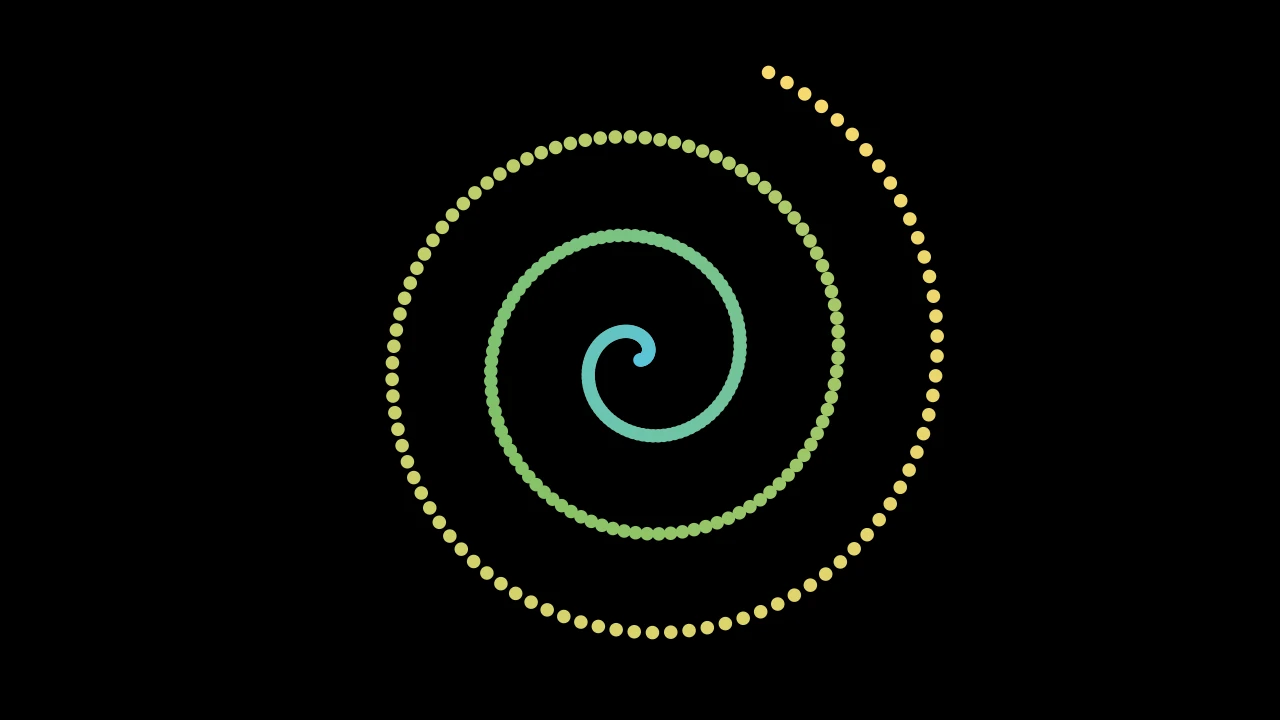
Code
import numpy as np

import manimgx as m


class PMobjectExample(m.Scene):
    def construct(self) -> None:
        t = np.linspace(0, 1, 300)
        spiral = np.column_stack(
            [3.5 * t * np.cos(20 * t), 3.5 * t * np.sin(20 * t), 0 * t]
        )
        colors = m.color_gradient([m.BLUE, m.GREEN, m.YELLOW], len(t))
        rgbas = np.array([color.to_rgba() for color in colors])
        cloud = m.PMobject(stroke_width=15).add_points(spiral, rgbas=rgbas)
        self.add(cloud)
A point cloud: a mobject drawn as points, each a dot of its own color.
Points are added with add_points, each with a color;
the style methods color them all. Each point is a disk as wide as a stroke of its
stroke_width, a hundredth of a scene unit for each unit of width: at the default
width, 4, about 4 pixels of a 720p frame.
colorThe color of both fill and stroke (default white); None for the class's default.
fill_colorThe fill's color;
colorif not given. Several colors make a gradient alongsheen_direction.fill_opacityThe fill's opacity, from 0 to 1 (default 0: no fill).
stroke_colorThe stroke's color;
colorif not given. Several colors make a gradient.stroke_opacityThe stroke's opacity, from 0 to 1 (default 1).
stroke_widthThe stroke's width, in hundredths of a scene unit (default 4; 0: no stroke).
background_stroke_colorThe color of an outline drawn behind the fill (default black).
background_stroke_opacityThe outline's opacity, from 0 to 1 (default 1).
background_stroke_widthThe outline's width, in hundredths of a scene unit (default 0: none).
sheen_factorHow much the colors lighten toward
sheen_direction, from -1 to 1 (default 0); a negative factor darkens.sheen_directionThe direction the colors lighten toward (default
UL).joint_typeHow the stroke is joined where its path turns: round, beveled or mitered, as a two-dimensional scene draws it (see LineJointType; default AUTO: mitered).
cap_styleHow the stroke ends, at each end it shows (an open path's, a dash's): round, butt or square, as a two-dimensional scene draws it (see CapStyleType; default AUTO: butt).
shade_in_3dWhether a three-dimensional scene's light shades the mobject.
materialHow its surface reflects the scene's lights in a three-dimensional scene (see Material); None: Manim's shading (default).
nameA name for the mobject; its class's name if not given.
z_indexIts place in the drawing order: a higher index is drawn over a lower one (default 0).
targetThe state
MoveToTargetmoves the mobject to.
It also takes the style keywords.
Source
src/manimgx/mobject.py
add_points 
Add points to the cloud, after its own, with their colors.
pointsThe points, in scene coordinates: an (n, 3) array.
rgbasTheir colors, one row of red, green, blue and opacity (from 0 to 1) per point; None to give them all
color.colorTheir color, when
rgbasis None; None for the cloud's (itscolorstyle keyword, white unless given).alphaTheir opacity, from 0 to 1, when
rgbasis None.
Source
src/manimgx/mobject.py
thin_out 
Keep one point in every factor of each cloud in the family, from its first.
factorOne point is kept in this many; must be positive.
Source
src/manimgx/mobject.py
PointCloudDot 
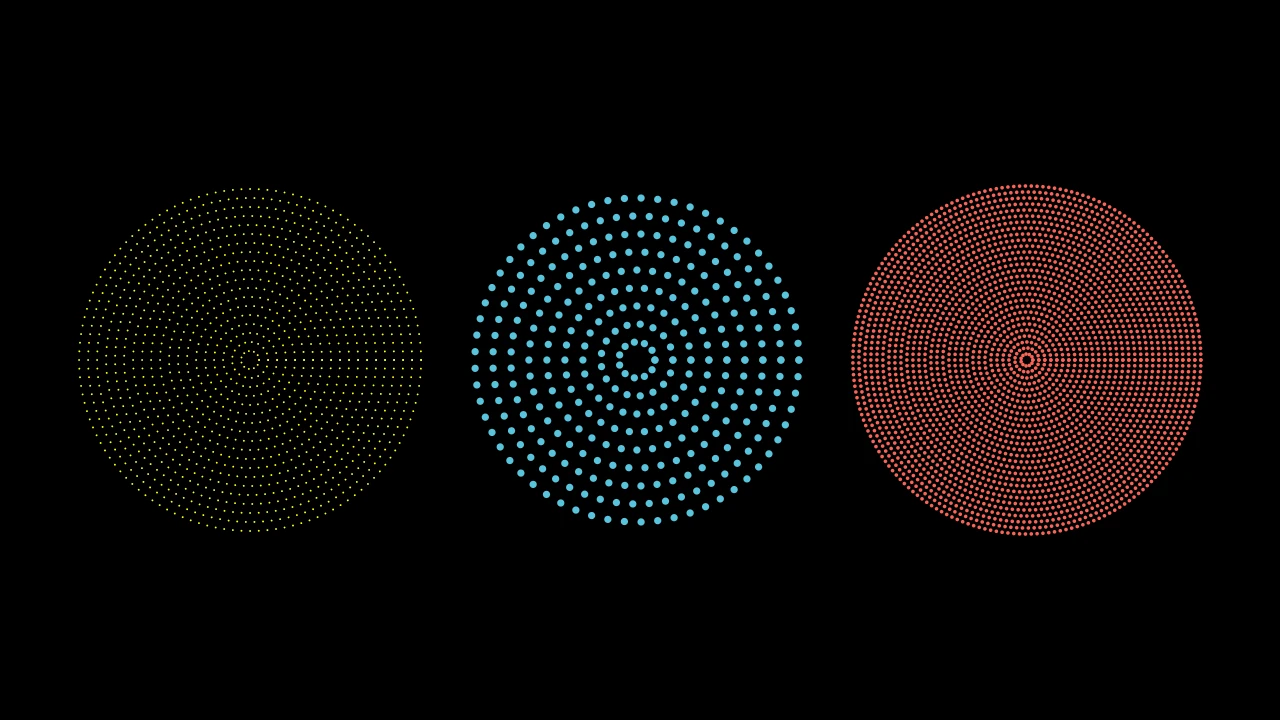
A disk of points: rings of points around a center, pure yellow unless styled.
The rings are 1/density scene units apart, from that far from the center out to
just inside radius, and the points along each ring about as far apart. Its points
are small: stroke_width 2.
m.PointCloudDot(center=ORIGIN, radius=2.0, *, density=DEFAULT_POINT_DENSITY_1D, **kwargs)
centerWhere its center is, in scene coordinates.
radiusHow far out its points reach, in scene units.
densityHow many rings, and points along a ring, per scene unit.
colorThe color of both fill and stroke (default white); None for the class's default.
fill_colorThe fill's color;
colorif not given. Several colors make a gradient alongsheen_direction.fill_opacityThe fill's opacity, from 0 to 1 (default 0: no fill).
stroke_colorThe stroke's color;
colorif not given. Several colors make a gradient.stroke_opacityThe stroke's opacity, from 0 to 1 (default 1).
stroke_widthThe stroke's width, in hundredths of a scene unit (default 4; 0: no stroke).
background_stroke_colorThe color of an outline drawn behind the fill (default black).
background_stroke_opacityThe outline's opacity, from 0 to 1 (default 1).
background_stroke_widthThe outline's width, in hundredths of a scene unit (default 0: none).
sheen_factorHow much the colors lighten toward
sheen_direction, from -1 to 1 (default 0); a negative factor darkens.sheen_directionThe direction the colors lighten toward (default
UL).joint_typeHow the stroke is joined where its path turns: round, beveled or mitered, as a two-dimensional scene draws it (see LineJointType; default AUTO: mitered).
cap_styleHow the stroke ends, at each end it shows (an open path's, a dash's): round, butt or square, as a two-dimensional scene draws it (see CapStyleType; default AUTO: butt).
shade_in_3dWhether a three-dimensional scene's light shades the mobject.
materialHow its surface reflects the scene's lights in a three-dimensional scene (see Material); None: Manim's shading (default).
nameA name for the mobject; its class's name if not given.
z_indexIts place in the drawing order: a higher index is drawn over a lower one (default 0).
targetThe state
MoveToTargetmoves the mobject to.
It also takes the style keywords.
Source
src/manimgx/mobjects/shapes.py